

DwarfLab Dwarf mini - Mosaic Mode
Introduction | First Experiences with the Mosaic Mode | Further Experiences with the Mosaic Mode | First Conclusions | Links
On this page, I describe my experiences with the mosaic mode of my electronic refractor telescope Dwarf mini 30 mm/150 mm (f/5).
See also:
- Information
- Tripod
- Bag
- EQ Mode
- First Experiences
- Mosaic Mode (this page)
- Observations of the Sun
- Observations of the Moon
- Observations with Filter
- >> My Deep Sky Observations with the Dwarf mini (Complete List of Observed DSO)
- Photo Gallery (Messier) - Photo Gallery (Other) - Galaxies - Nebulae - Star Clusters
- Photo Comparison (with Vaonis Vespera)
Introduction
 |
 |
 |
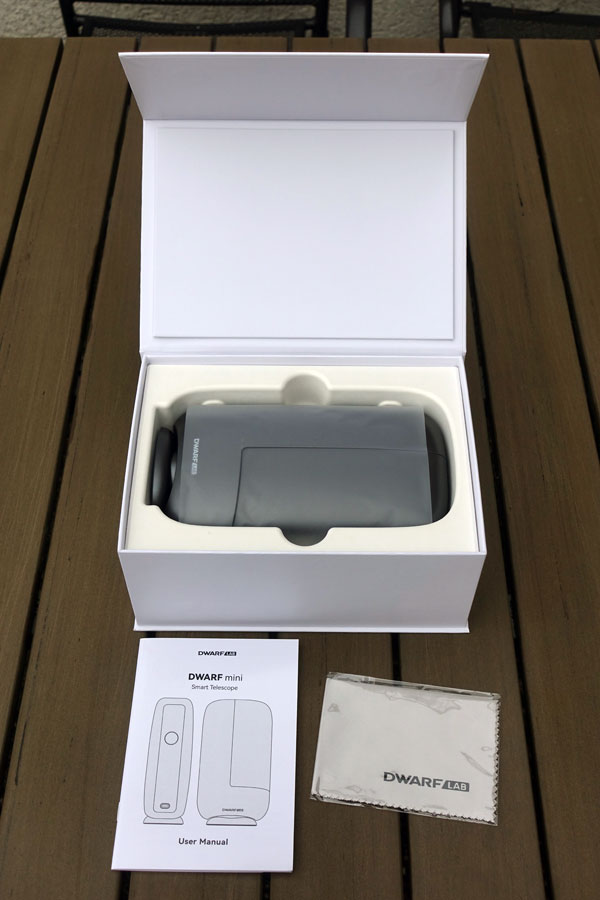
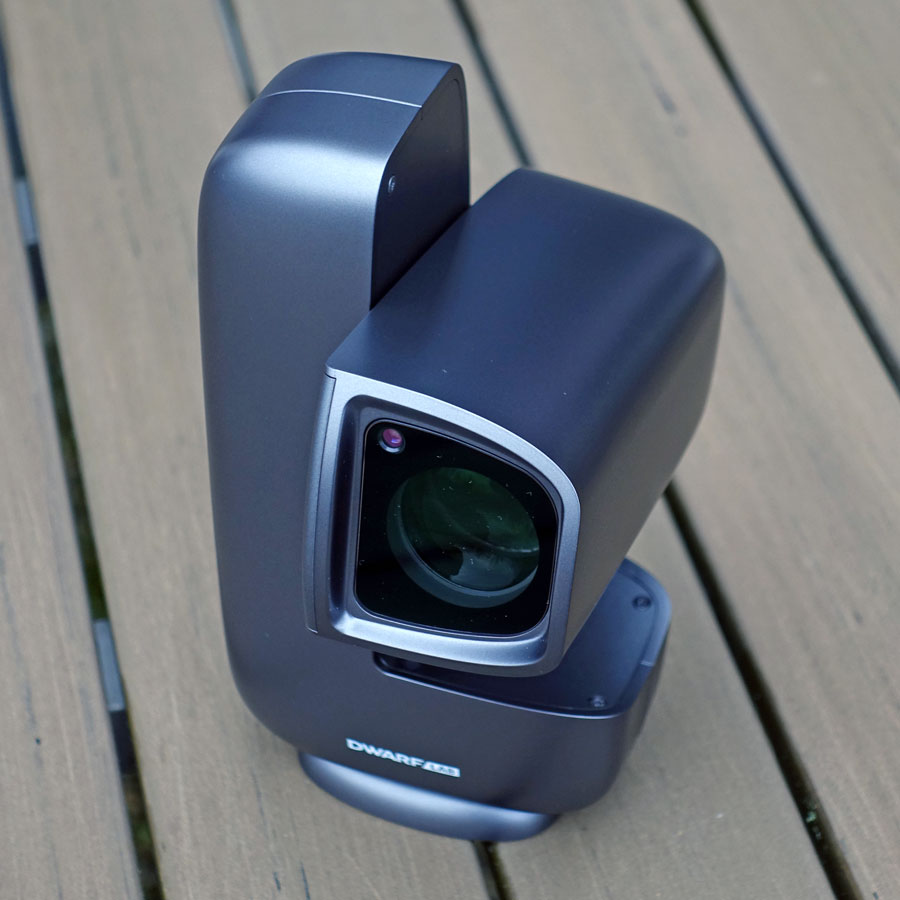
Photo: My Dwarf mini (Jan 2026)
The Dwarf mini has an IMX 662 sensor with a 16:9 aspect ratio and a field of view of 2.14° x 1.20°. On the one hand, this is quite large, but because of the "towel format" it is often unfavorable for many objects because they are at an angle or are too large for the image field. Luckily, the Dwarf mini also offers a mosaic mode, which allows you to achieve larger image fields. The image field can be extended in both directions up to a factor of 1.8.
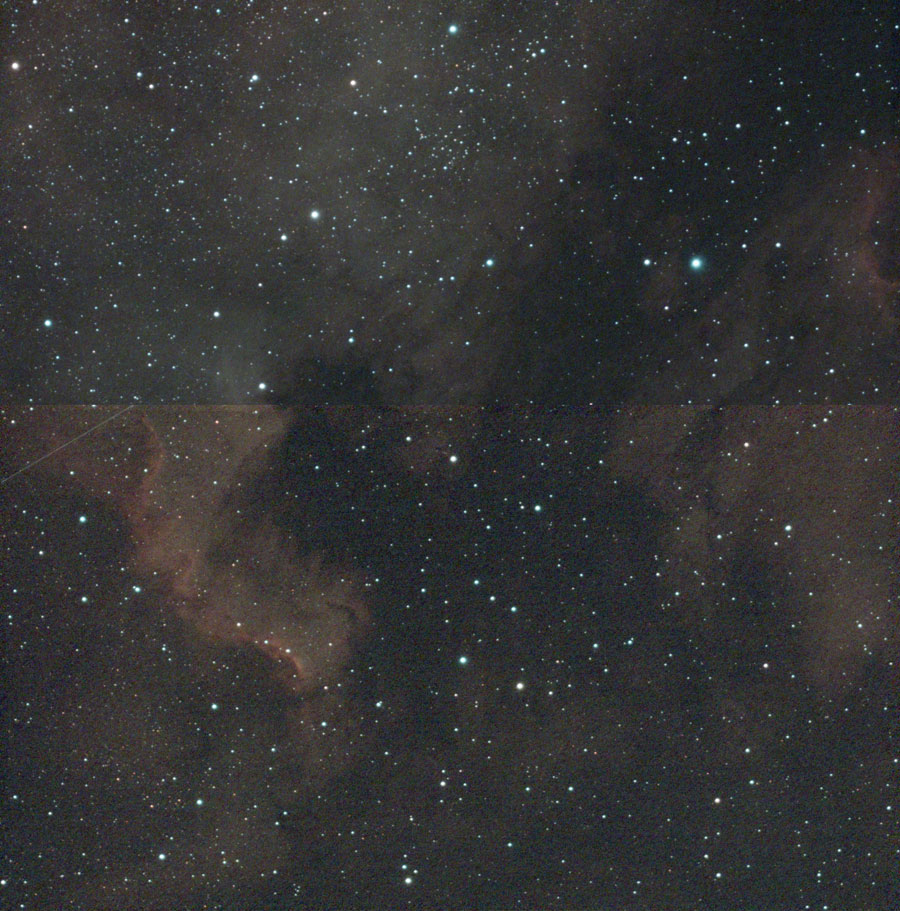
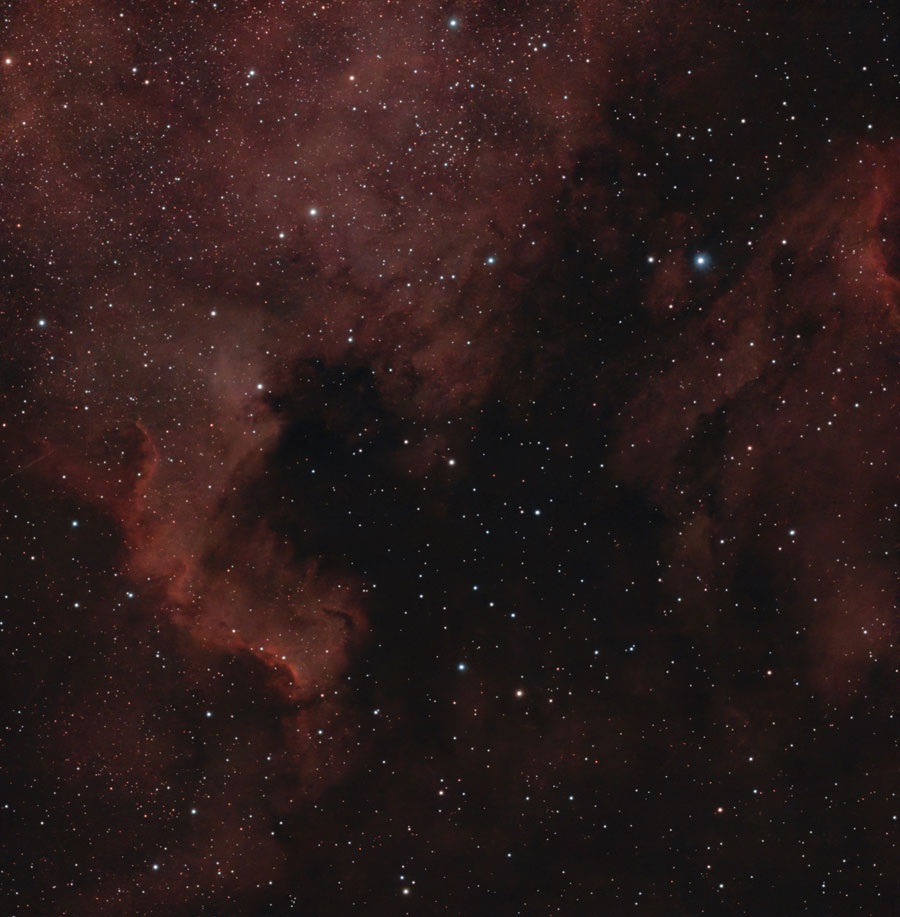
The Dwarf mini's mosaic mode works completely differently than that of Vaonis: several "panels" are simply recorded, which are later stitched together and post-processed using Stellar Studio. You only get a so-called "preview" that still shows seams at the overlaps (this should change at some point in time...). Because of the overlap of the panels, only a factor of 1.8 is achieved instead of a factor of 2. According to my first experiences, joining the panels in Stellar Studio works very well - at least when it is available. I also had the case that Stellar Studio did not want to work due to server problems in China... Here is an example of the unedited final result - the "preview" - before editing with Stellar Studio, and to the right of it, the edited version (I continued editing it after that...)
 |
 |
|
NGC 7000 and IC 5070 - Sep 21, 2026, 2h, mosaic, DuoBand filter, unprocessed, original |
NGC 7000 and IC 5070 - Sep 21, 2026, 2h, mosaic, DuoBand filter, processed with Stellar Studio, Original |
For reasons of time, I have so far only recorded 2-panel mosaics with a ratio of 1:1.8, which then creates an almost square image field of a about 2° x 2° (a little more than that of my Vespera Pro, which has an image field of 1.6° x 1.6° in "normal mode")
There is one important point to keep in mind when it comes to mosaics: mosaics must be recorded in EQ mode! This requires a tripod with a corresponding tilt head (not a ball head!), such as the one from DwarfLab (which I own), or one with a wedge. So you cannot just place the Dwarf mini on the floor or an a table in EQ mode like you can in AZ mode... I cover EQ mode on page EQ mode, so I will not write anything about setting it up here. This is best done before you go into mosaic mode (it may not be accessible in AZ mode...).
To set up a mosaic, go to the Atlas. There is an icon for mosaic settings in the top right corner. If you click on it, a window will appear in which you can set the mosaic size.
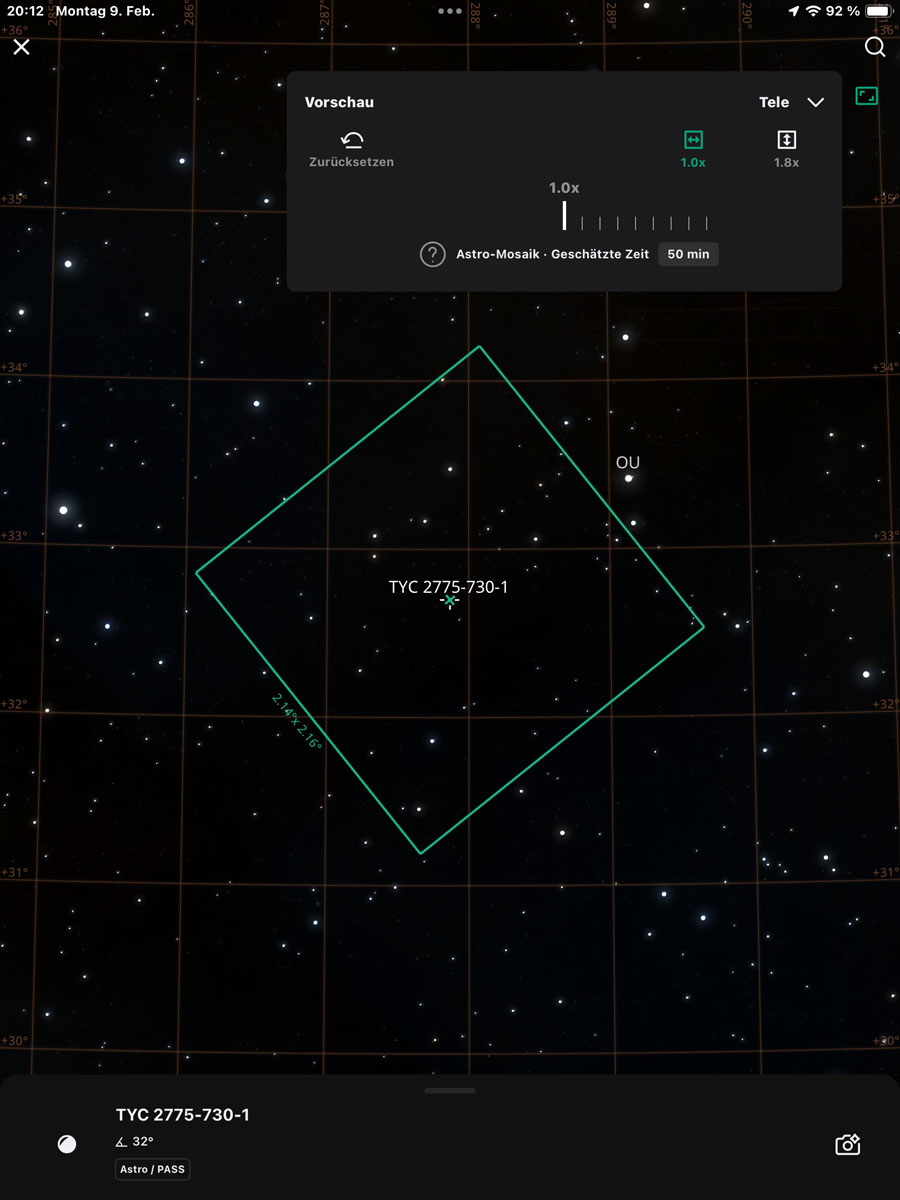
Photo: setting the frame for a mosaic
I do not want to write more about mosaic mode, because it is explained in the Dwarf mini manual...
Below I present my first and some later mosaic photos!
First Experiences with the Mosaic Mode
Since mosaics are only optimally assembled with Stellar Studio, I do not show any unedited images. See First Conclusions for details.
I took my first mosaic images from January through March 2026. For these images, I exposed the individual frames (subs) for 15 or 30 seconds. The total exposure time was 25 minutes or 50 minutes, respectively, with 50 subs per panel. At that time, I had not yet dared to try longer individual exposure times or longer integration times...
Jan 21, 2026
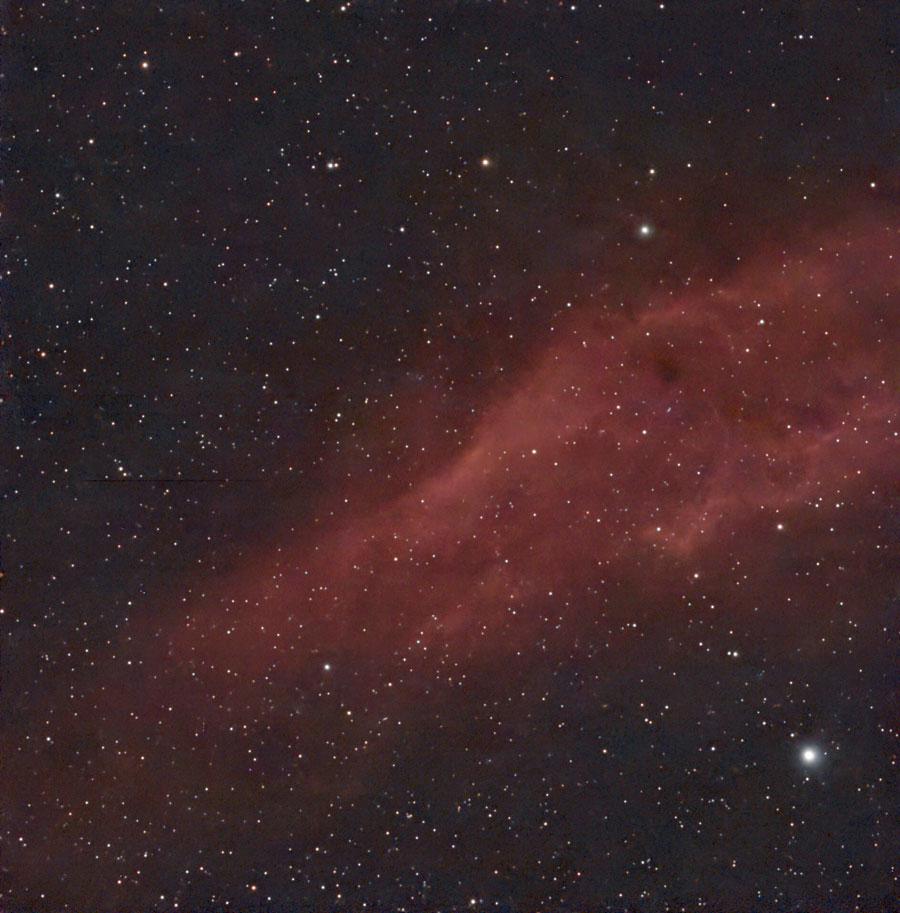
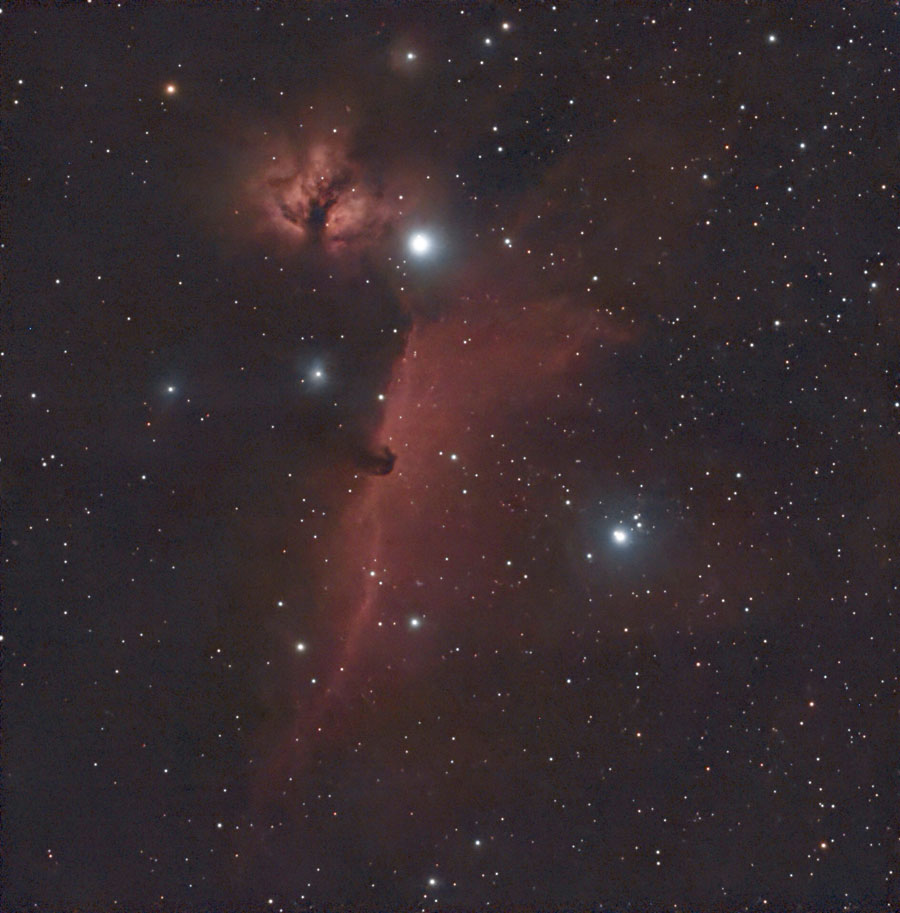
I trained the EQ and mosaic modes on NGC 1499 and NGC 2024/B 33; the EQ mode did not succeed, but the observations were OK, why ever...
- NGC 1499 (30 s, G 60, DuoBand filter): 1:1.8 mosaic with 2 panels, 50 subs per panel (50 min)
- NGC 2024/B 33 (30 s, G 60, DuoBand filter): 1:1.8 mosaic with 2 panels, 50 subs per panel (50 min)
 |
 |
|
NGC 1499, processed with Stellar Studio and further processed, original |
NGC 2024/B 33, processed with Stellar Studio and further processed, original |
Feb 5, 2026
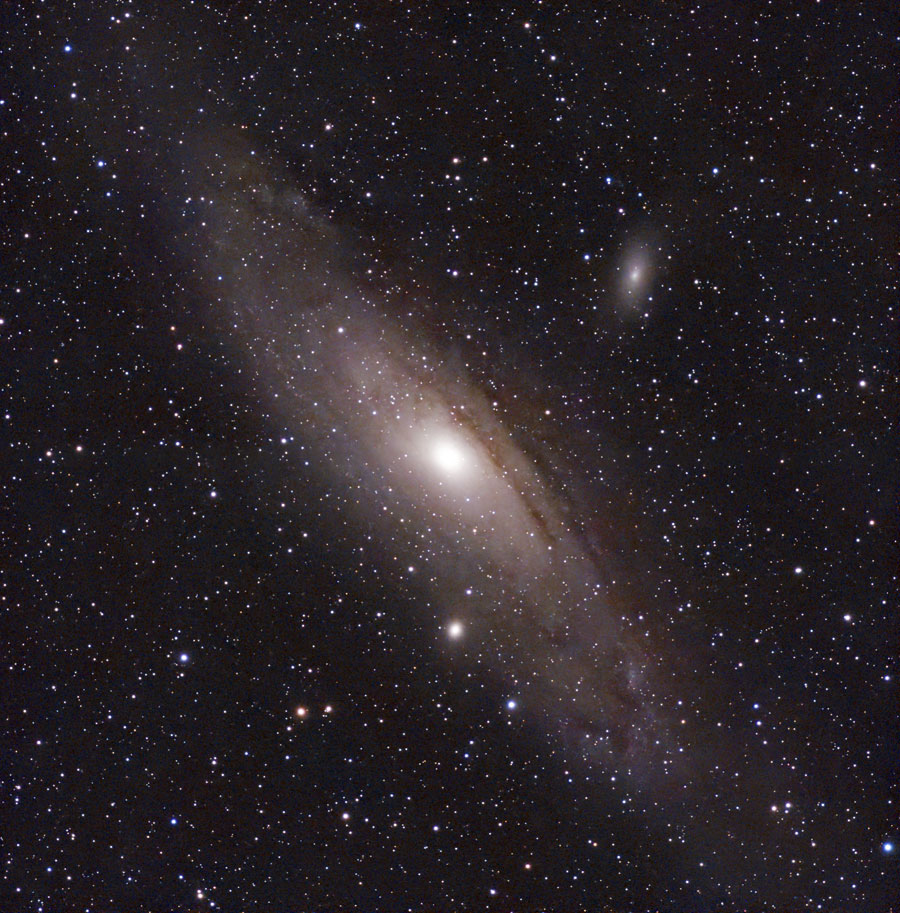
- M 31 (15 s, G 60, Astro filter): 1:1.8 mosaic with 2 panels, 50 subs per panel 25 (min)
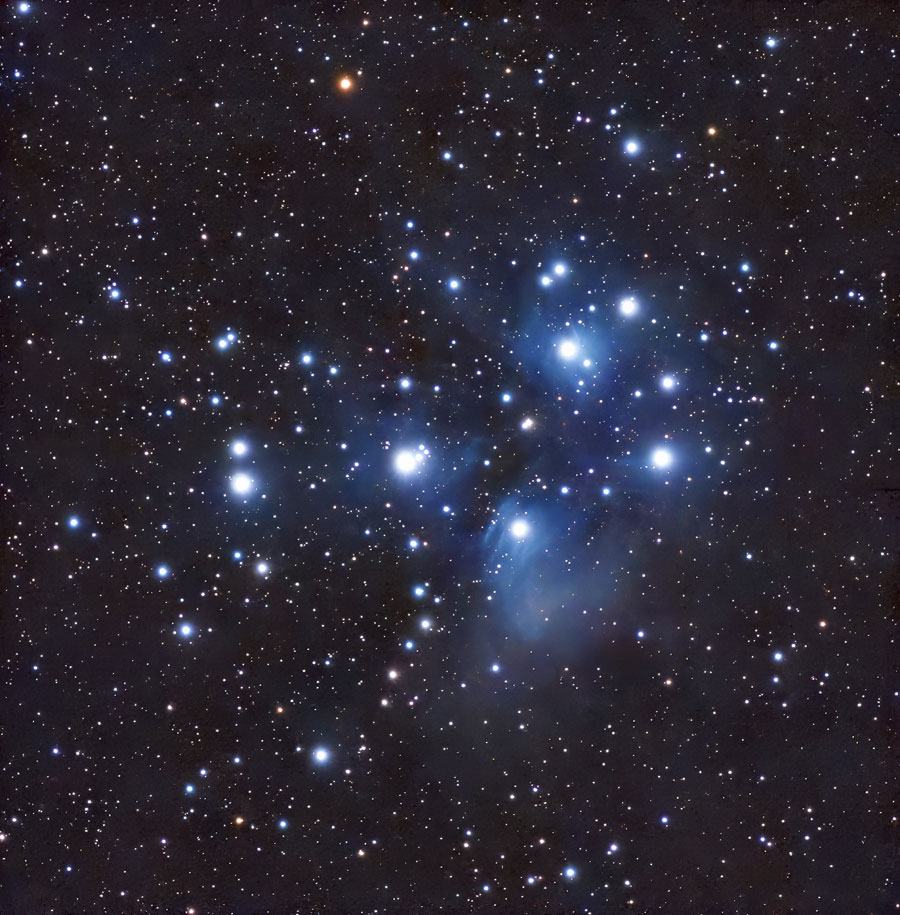
- M 45 (30 s, G 60, Astro filter): 1:1.8 mosaic with 2 panels, 50 subs per panel (50 min)
 |
 |
|
M 31, Feb 5, 2026 - 50 min, mosaic, processed with Stellar Studio, further processed, original |
M 45, Feb 5, 2026 - 50 min, mosaic, processed with Stellar Studio, additionally post-processed and denoised (TP), original |
Feb 7, 2026
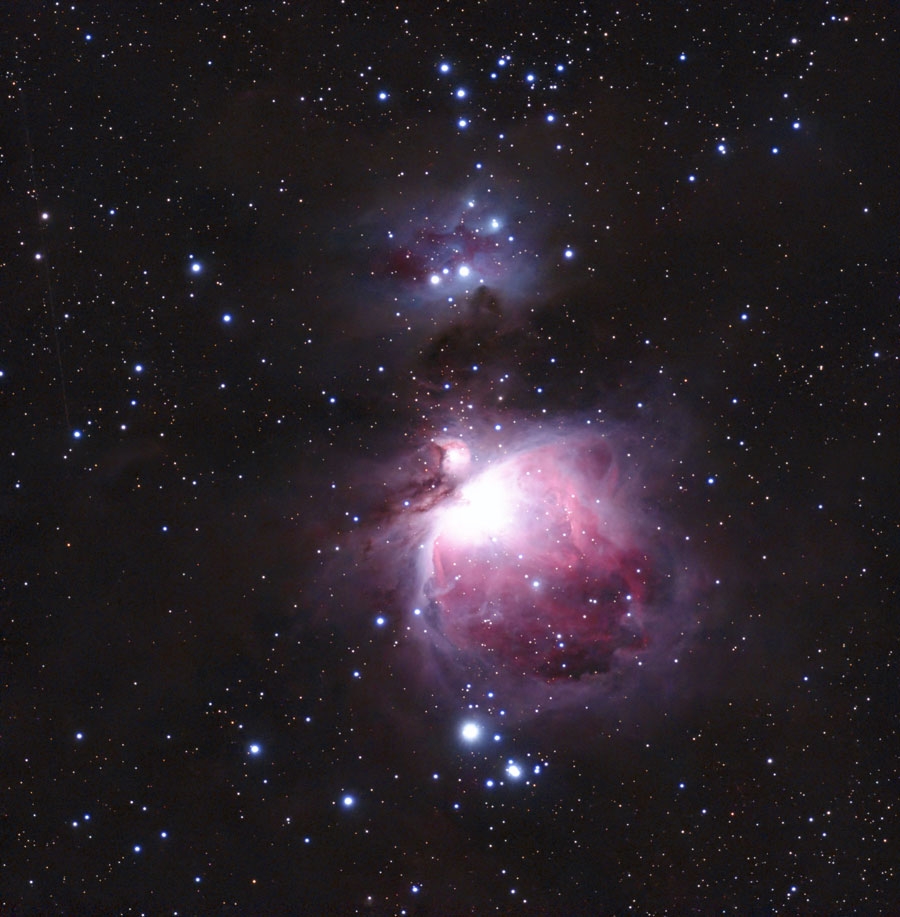
- M 42/43 (30 s, G 120, Astro filter): 1:1.8 mosaic with 2 panels, 50 subs per panel (50 min)
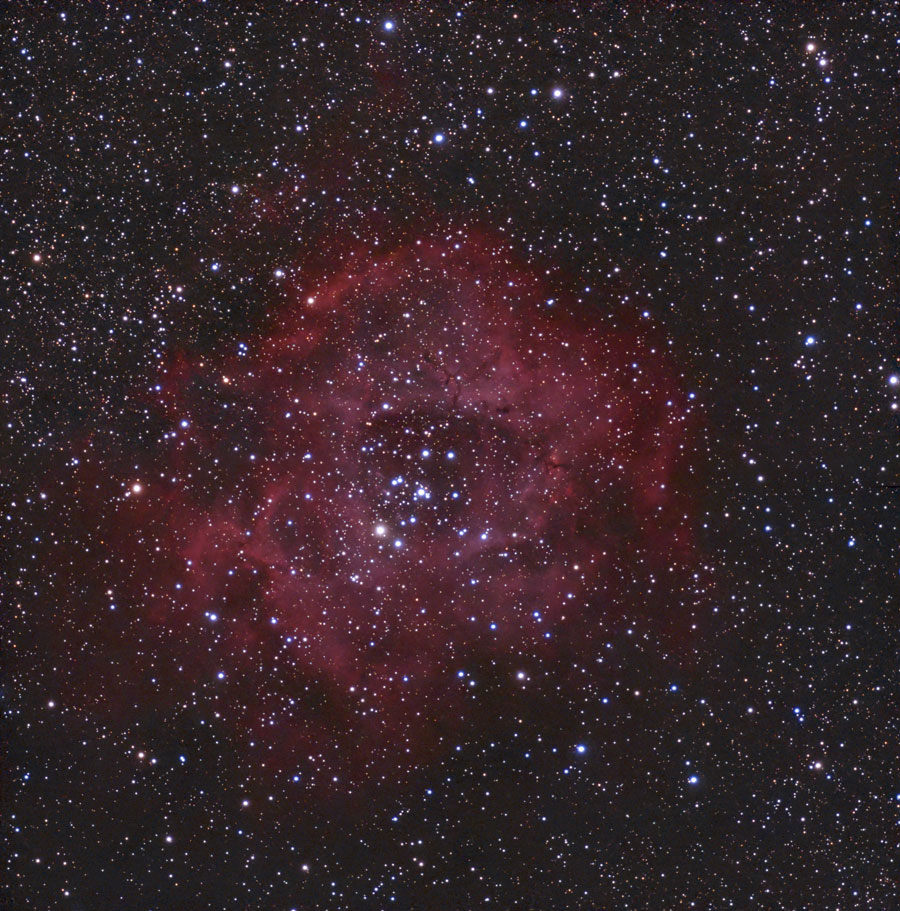
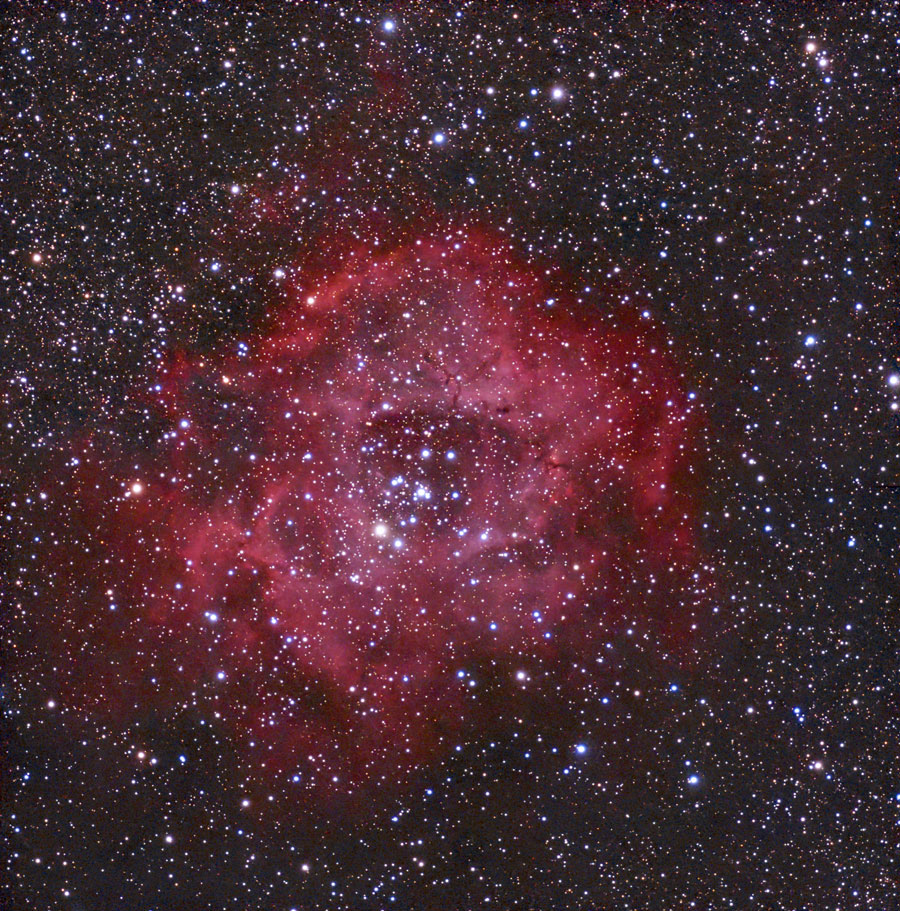
- NGC 2237/2244 (30 s, G 120, Astro filter): 1:1.8 mosaic with 2 panels, 50 subs per panel (50 min)
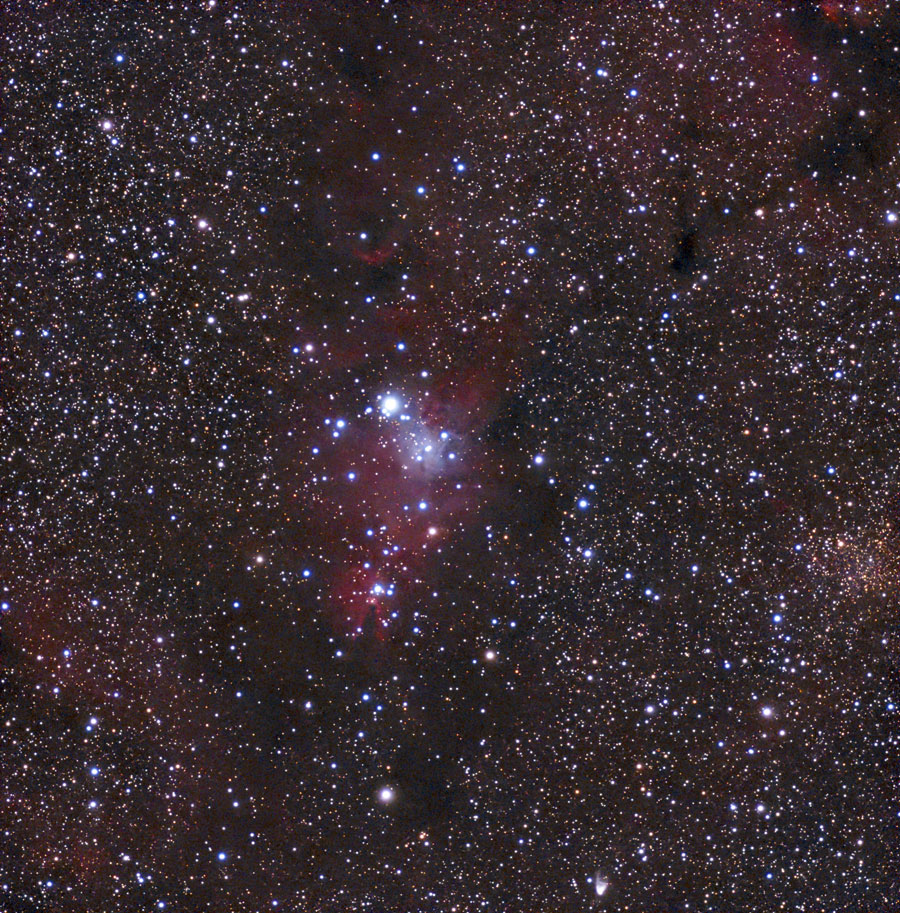
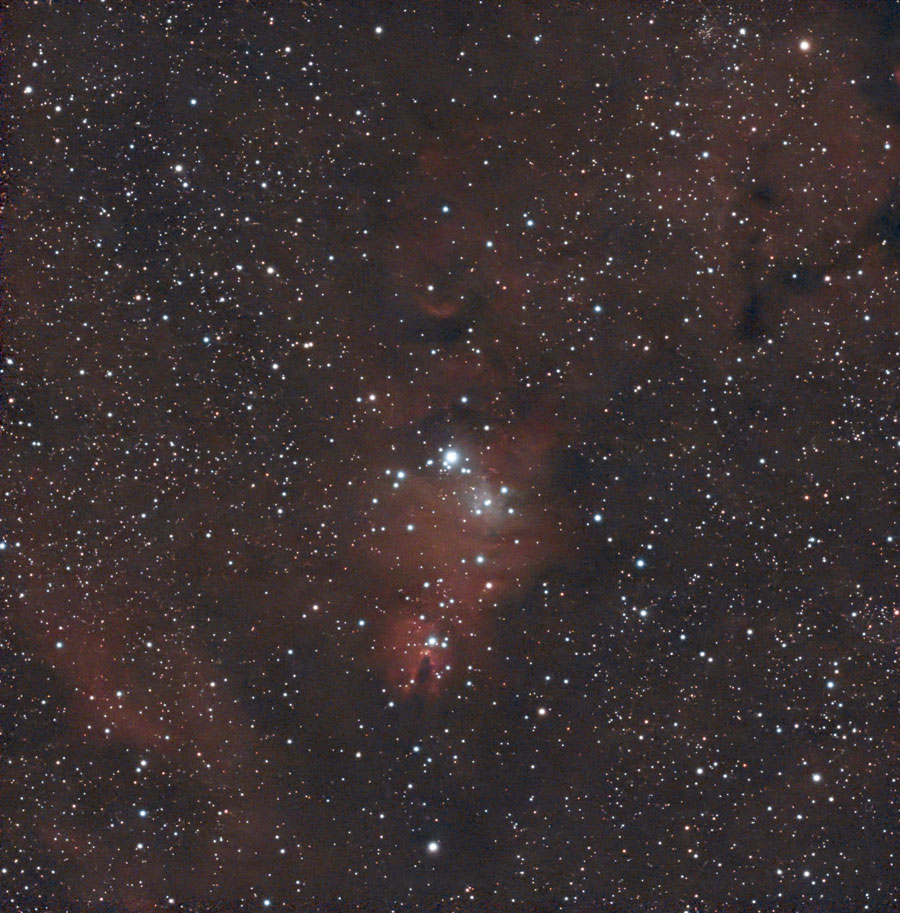
- NGC 2264 (30 s, G 120, Astro filter): 1:1.8 mosaic with 2 panels, 50 subs per panel (50 min)
 |
 |
|
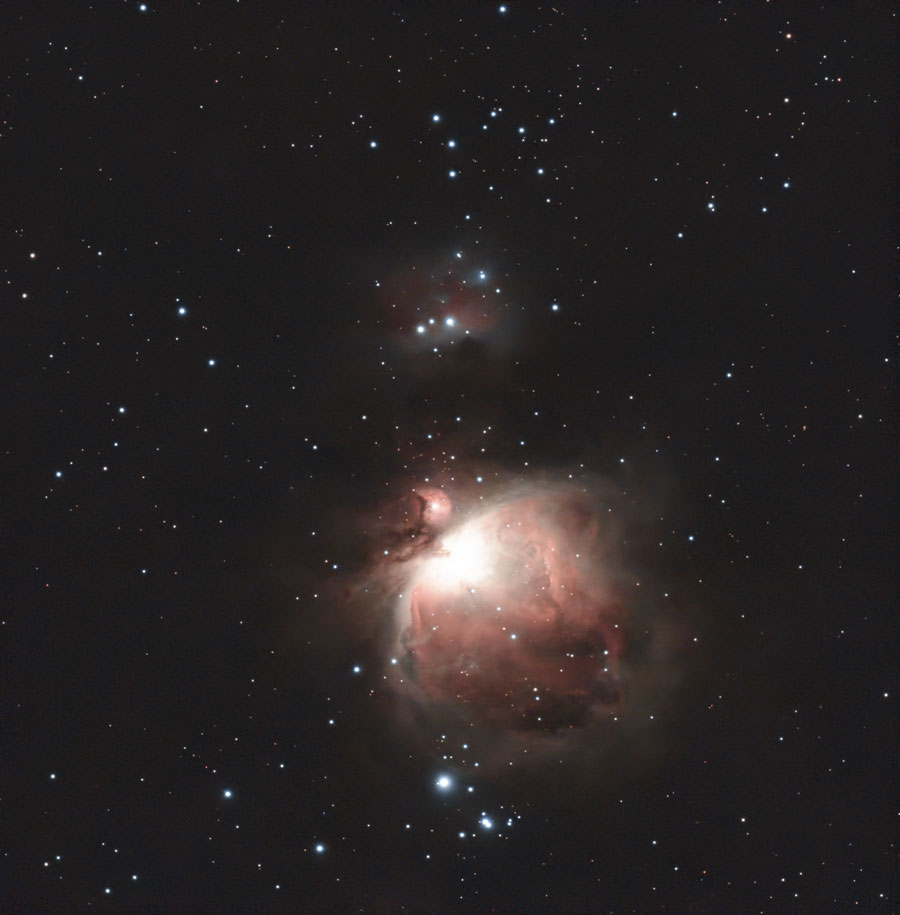
M 42/43, 50 min, mosaic, processed with Stellar Studio, original |
NGC 2264 with NGC 2261, 50 min, processed with Stellar Studio and additionally processed, original |
|
 |
 |
|
NGC 2244, 50 min, processed with Stellar Studio, original |
NGC 2244, 50 min, processed with Stellar Studio and additionally strongly processed, original |
Feb 9, 2026
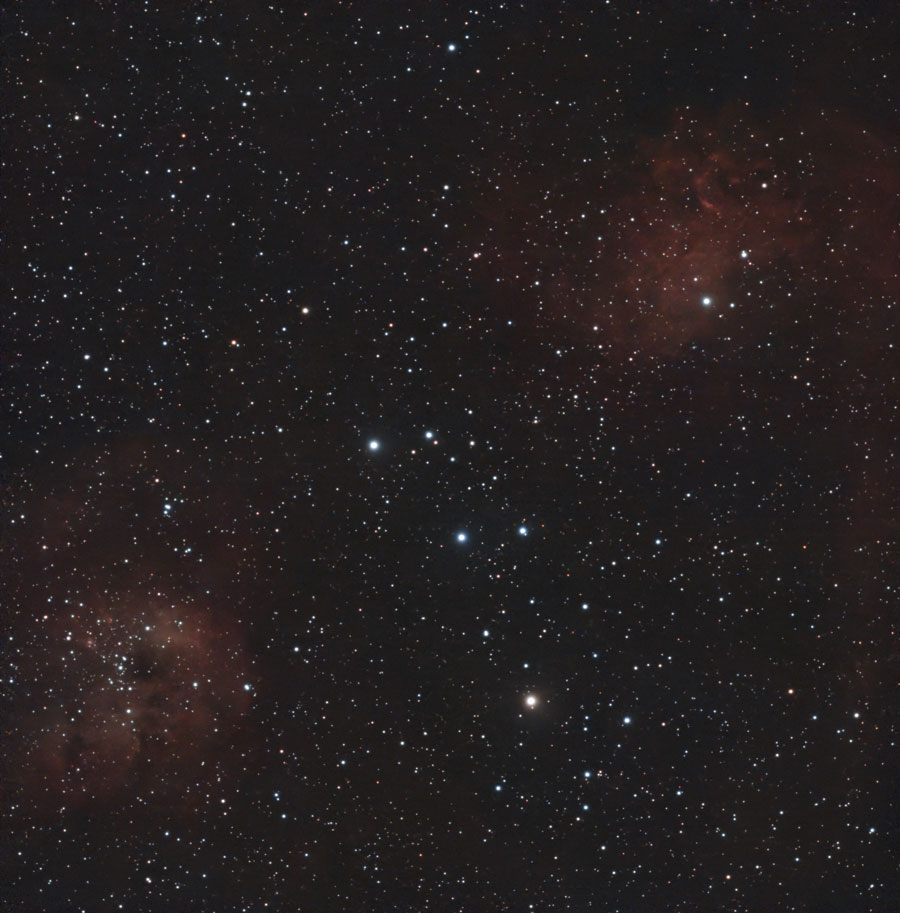
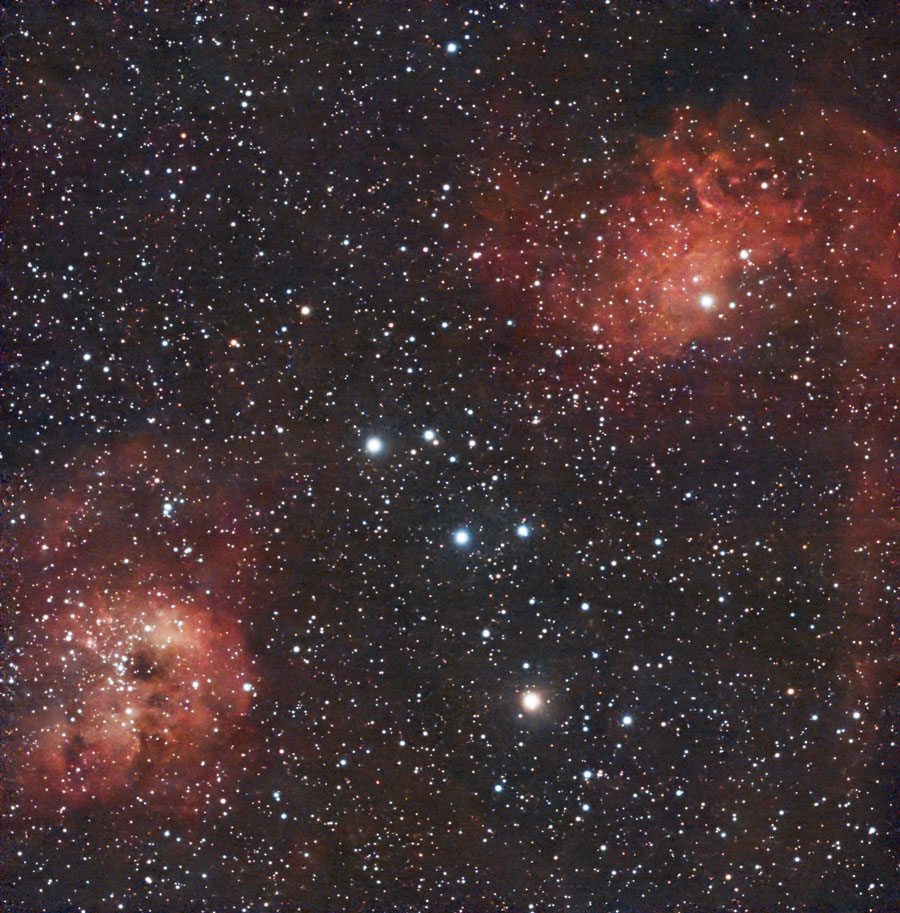
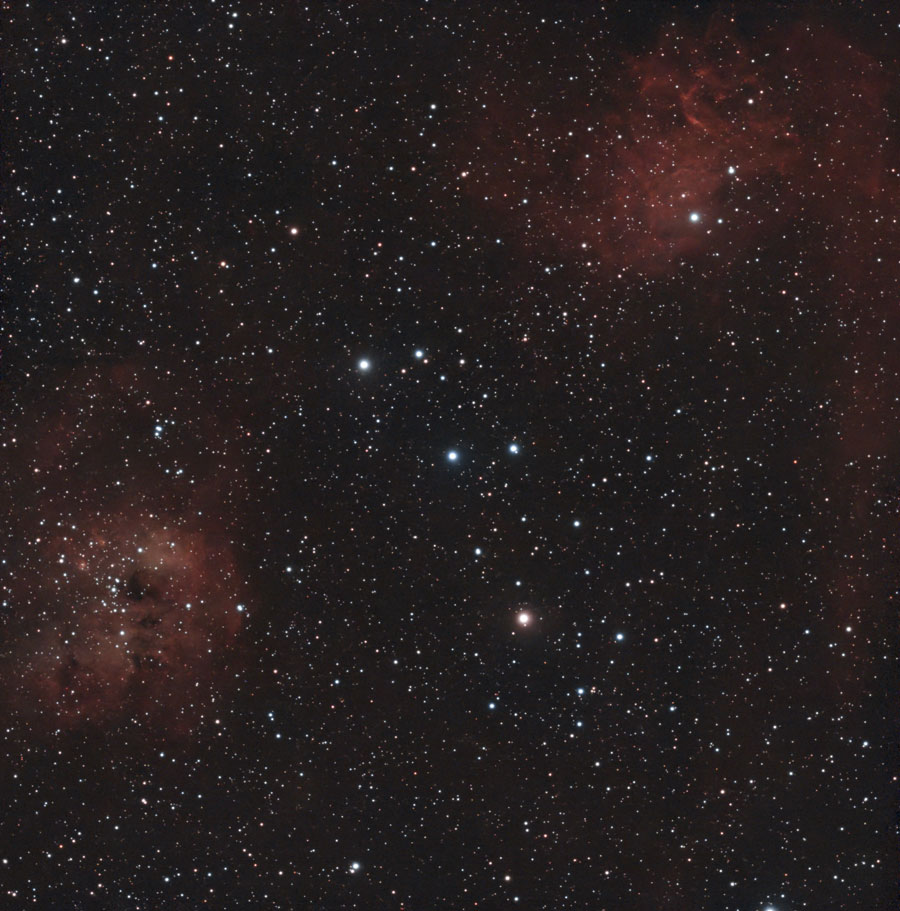
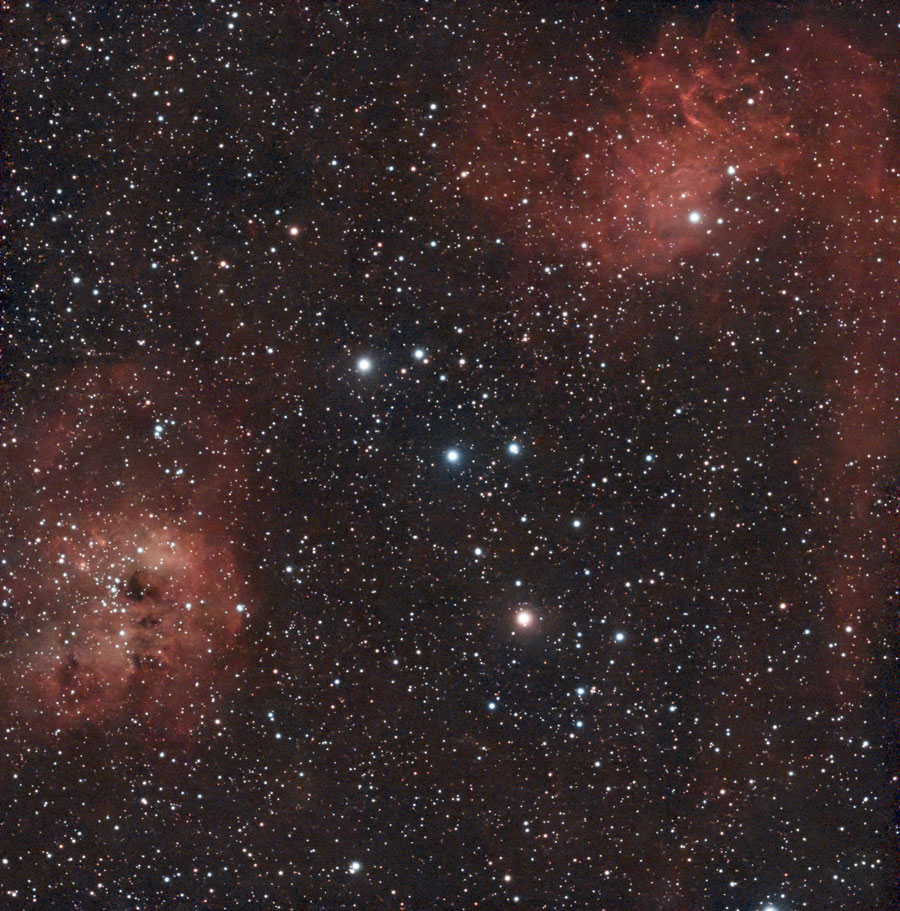
- IC 410 (30 s, G 60, DuoBand filter): 1:1.8 mosaic with 2 panels, 50 subs per panel (50 min); ditto with gain 120
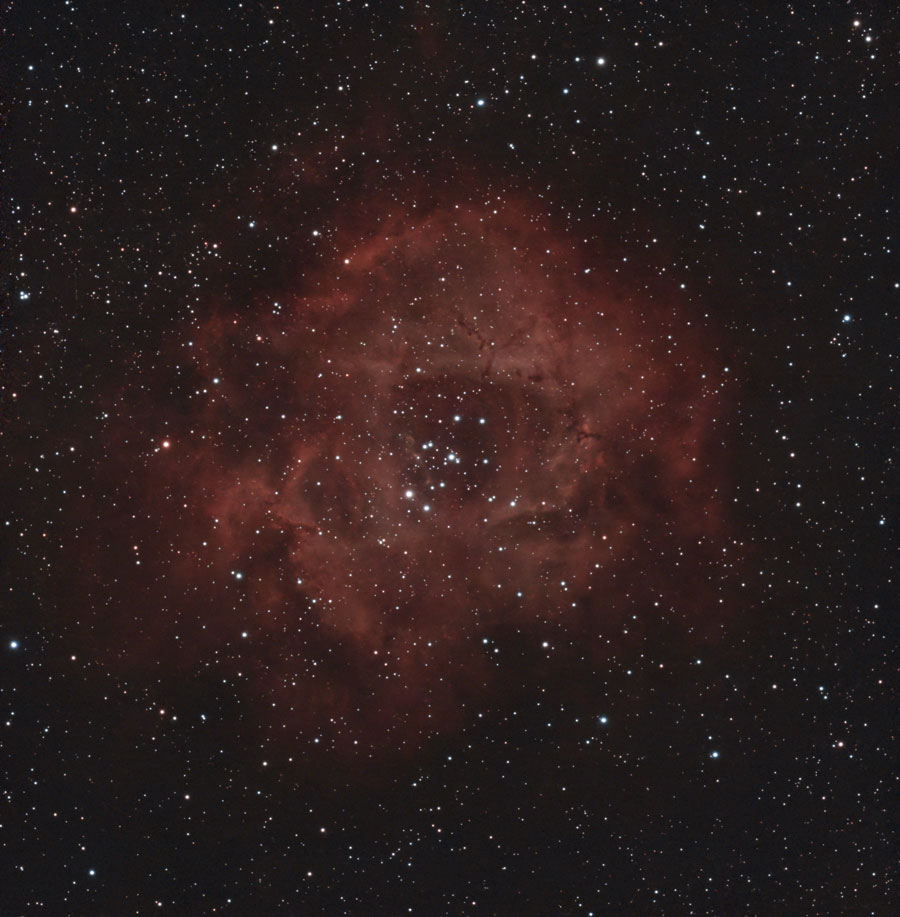
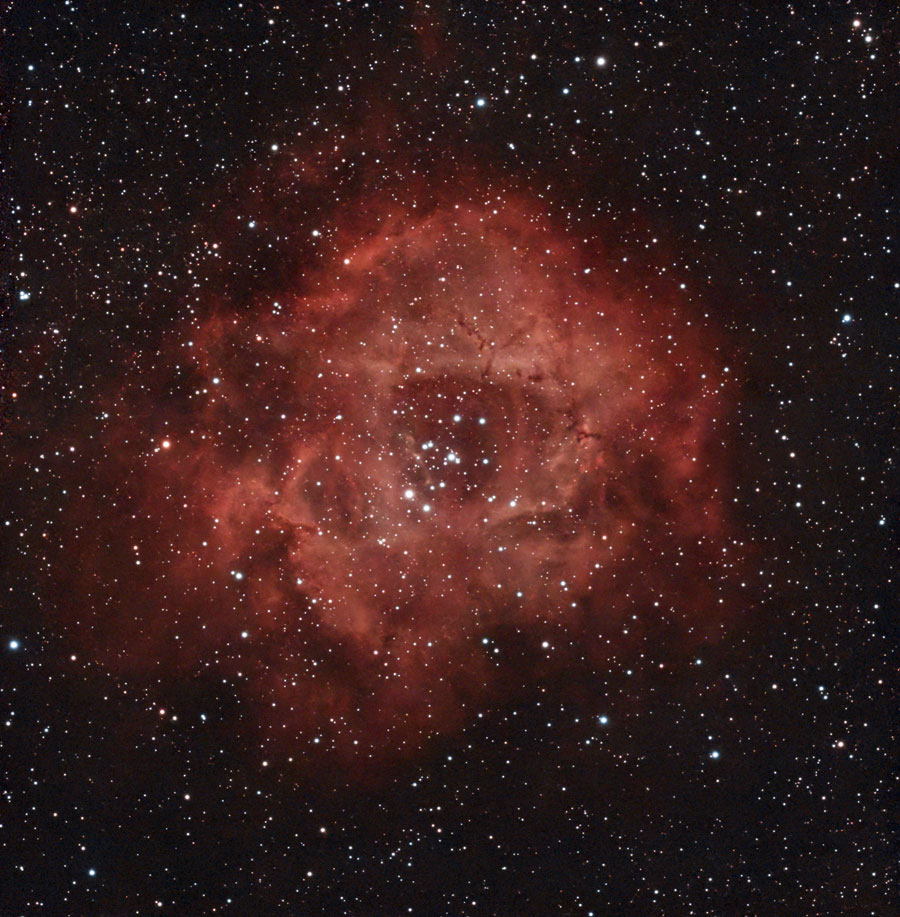
- NGC 2237/2244 (30 s, G 120, DuoBand filter): 1:1.8 mosaic with 2 panels, 50 subs per panel (50 min)
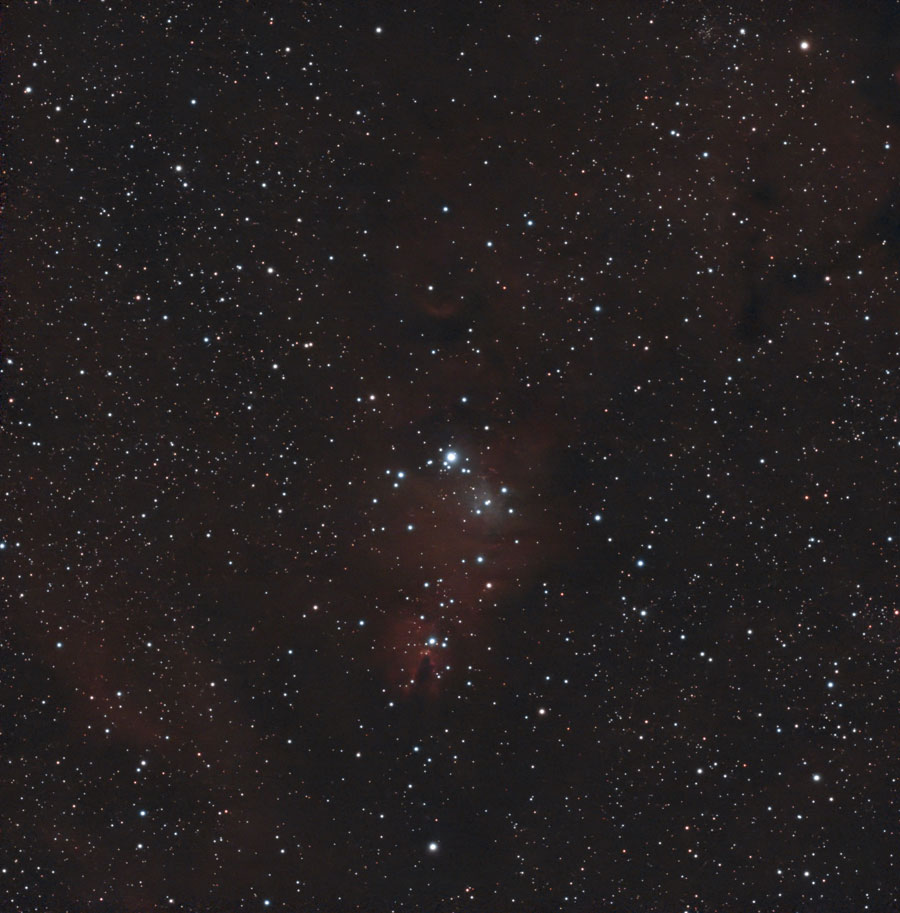
- NGC 2264 (30 s, G 120, DuoBand filter): 1:1.8 mosaic with 2 panels, 50 subs per panel (50 min)
 |
 |
|
IC 405/410, 50 min, DuoBand filter, mosaic, gain 60, processed with Stellar Studio, original |
IC 405/410, 50 min, DuoBand filter, mosaic, gain 60, processed with Stellar Studio and further post-processed strongly, original |
|
 |
 |
|
IC 405/410, 50 min, DuoBand filter, mosaic, gain 120, processed with Stellar Studio, Original |
IC 405/410, 50 min, DuoBand filter, mosaic, gain 60, processed with Stellar Studio and further post-processed, original |
|
 |
 |
|
NGC 2237/2244, 50 min, DuoBand filter, mosaic, gain 120, processed with Stellar Studio, original |
NGC 2237/2244, 50 min, mosaic, gain 120, processed with Stellar Studio and further post-processed, original |
|
 |
 |
|
NGC 2264, 50 min, DuoBand filter, mosaic, gain 120, processed with Stellar Studio, original |
NGC 2264, 50 min, DuoBand filter, mosaic, gain 120, processed with Stellar Studio and further post-processed, original |
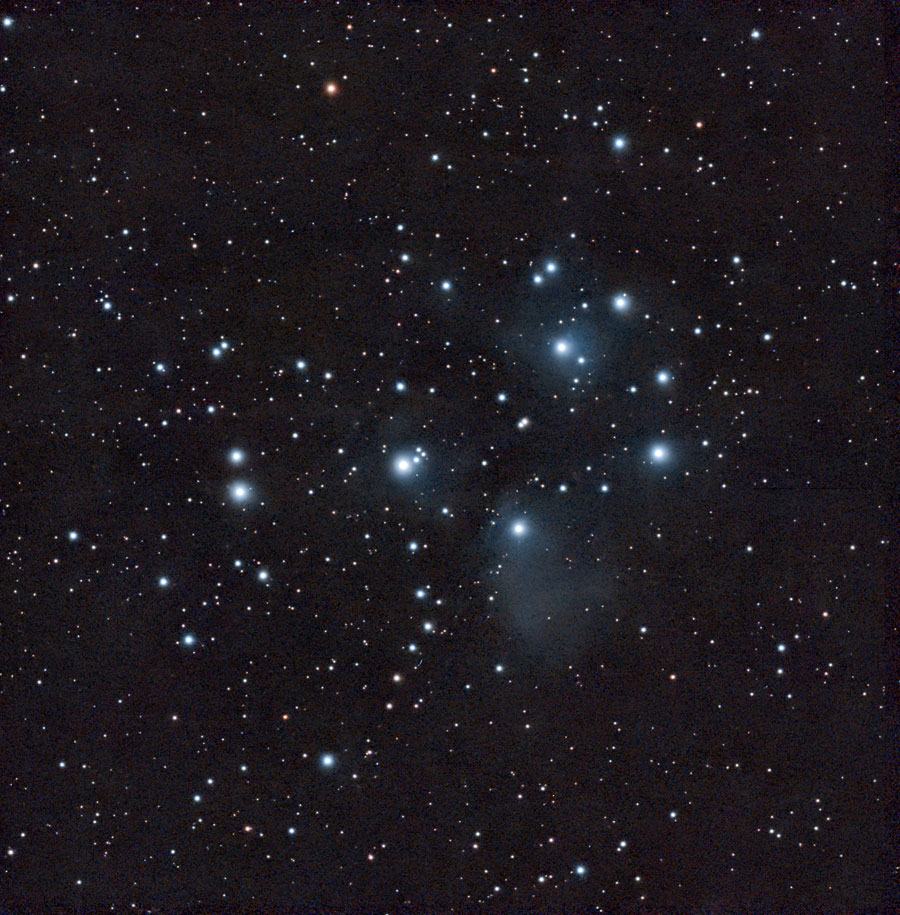
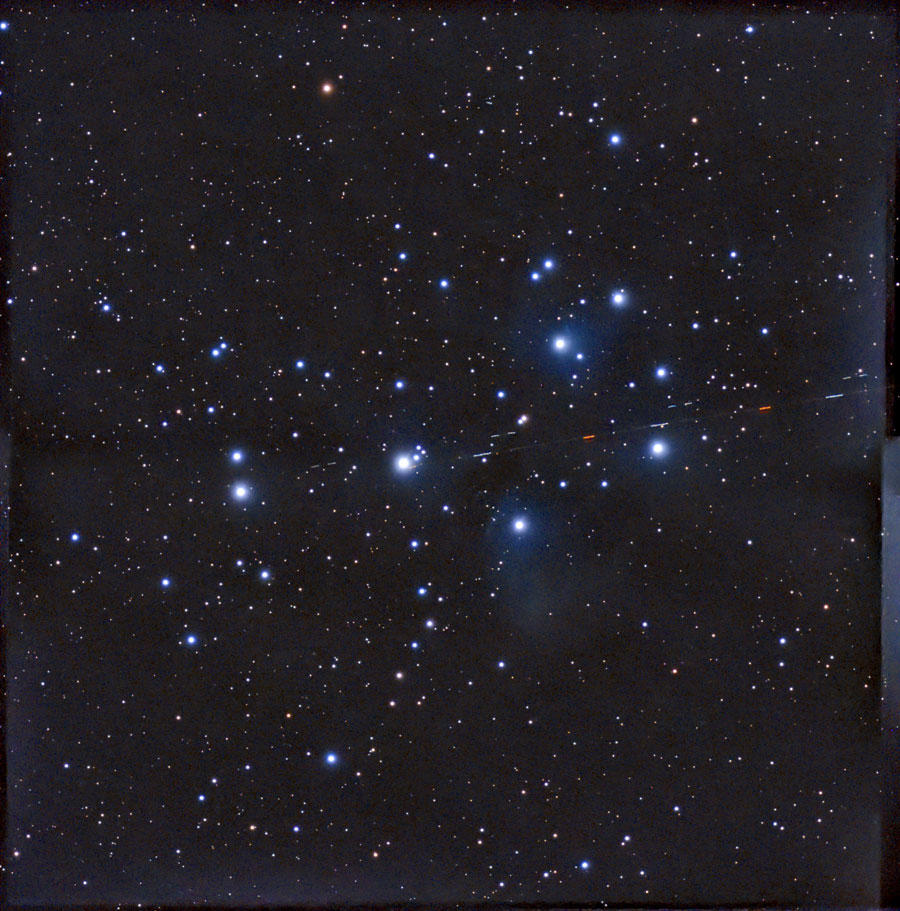
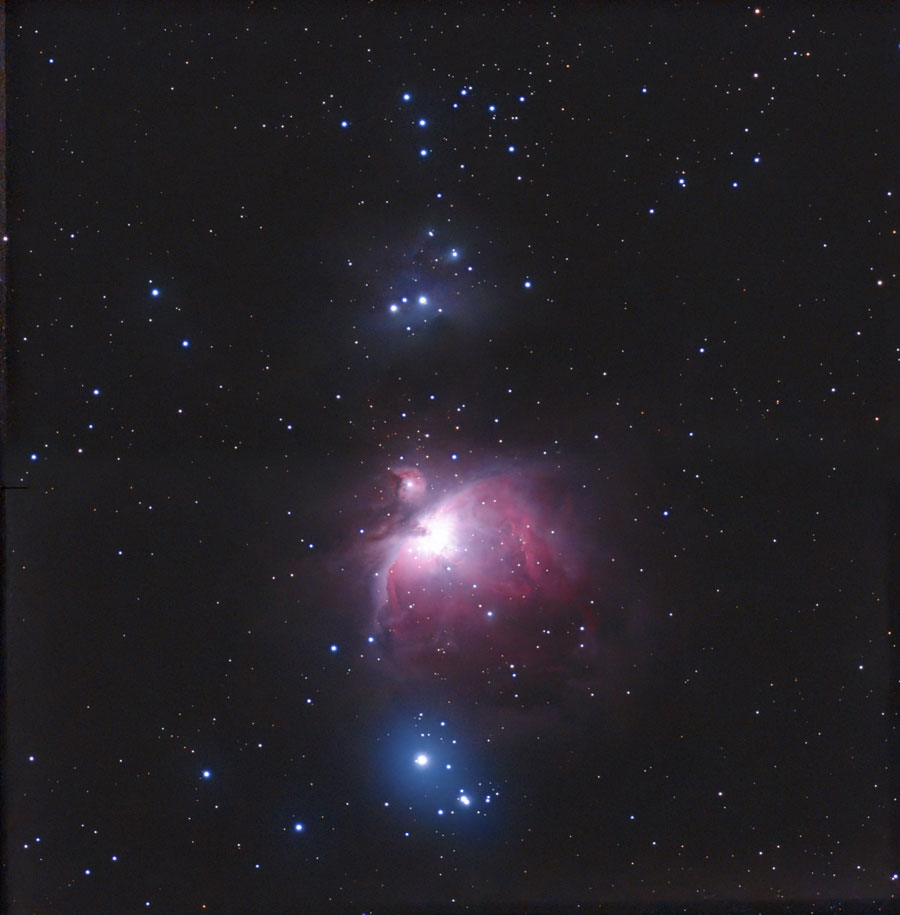
Feb 25 & 26, 2026: M 42/43, M 45
|
|
|
M 42/43, Feb 25, 2026 - 25 min, mosaic, processed with Stellar Studio, original |
M 42/43, Feb 26, 2026 - 50 min, mosaic, processed with Stellar Studio, DB filter, original |
|
 |
 |
|
M 45, Feb 26, 2026 - 50 min, mosaic, DuoBand filter, processed with Stellar Studio, post-processed, original |
M 45, Feb 26, 2026 - 50 min, mosaic, processed with Stellar Studio, post-processed, original |
March 12, 2026: M 46, M 47, M 78, IC 2177, Sh2-261
 |
 |
|
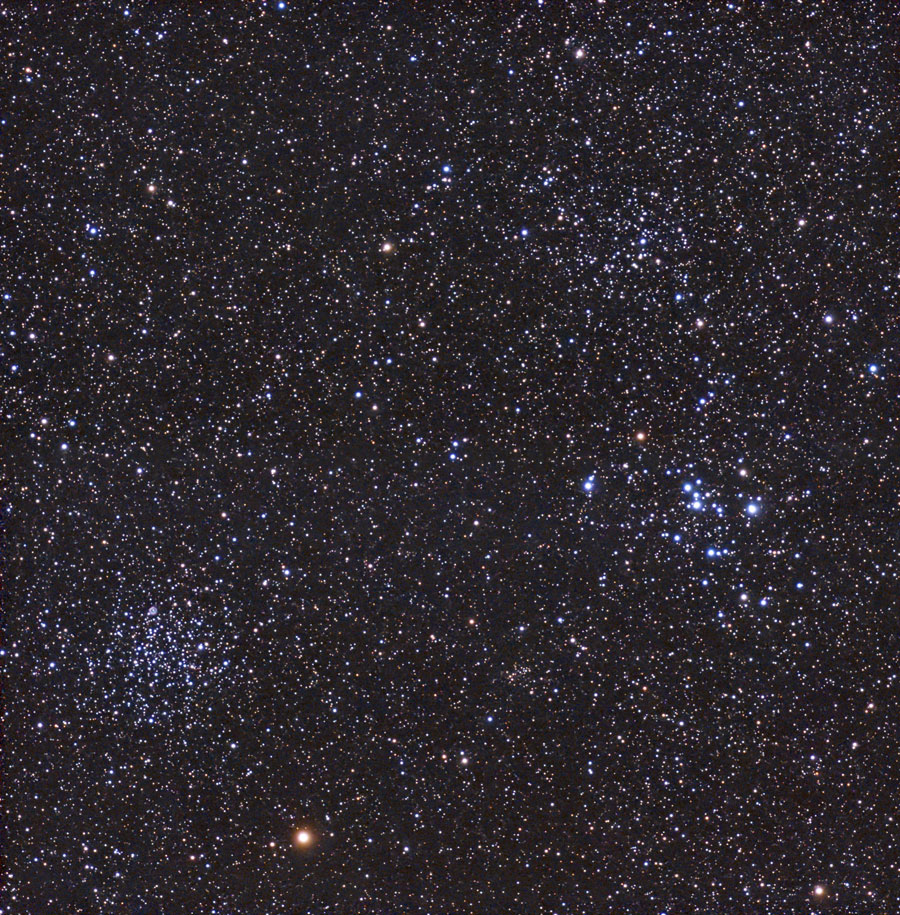
M 46, M 47 and more, Mar 12, 2026 - original, mosaic, 25 min, processed with Stellar Studio |
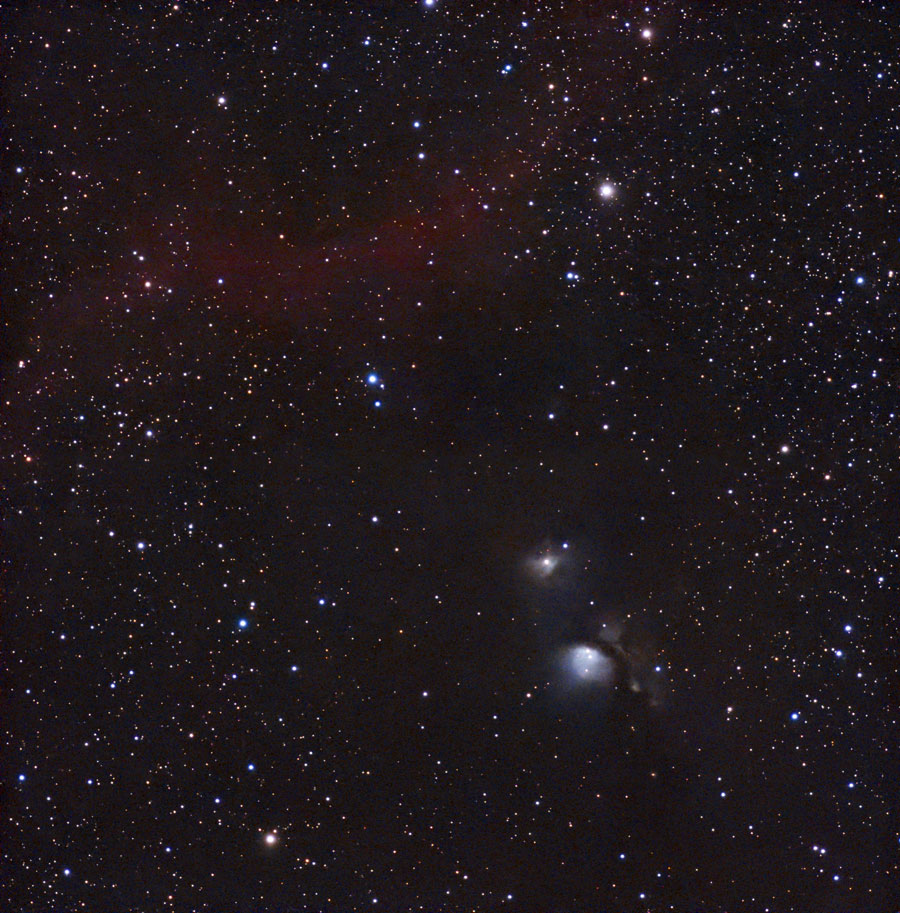
M 78, Mar 12, 2026 - mosaic, 50 min, processed with Stellar Studio and further processed, original |
|
 |
 |
|
IC 2177, Mar 12, 2026 - original, 50 min, DuoBand filter, processed with Stellar Studio and further processed |
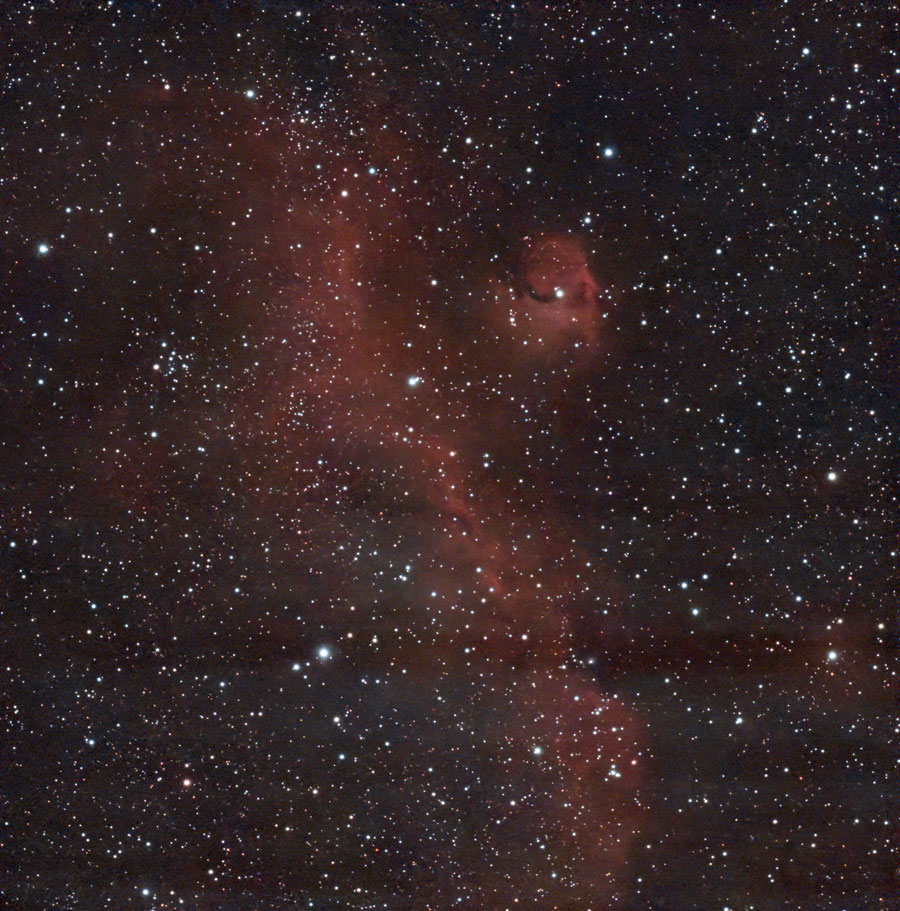
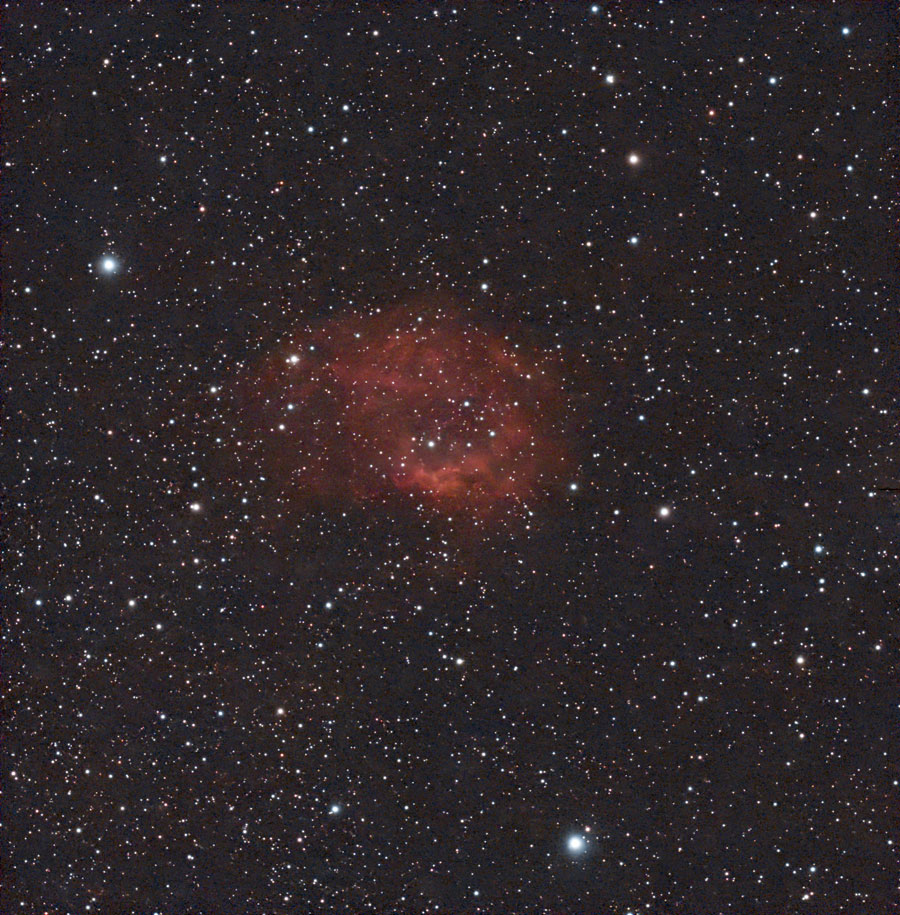
Sh2-261, 12.3.2026 - original (50 min), DuoBand filter, processed with Stellar Studio and further processed |
Further Experiences with the Mosaic Mode
Since mosaics are only optimally assembled with Stellar Studio, I do not show any unedited images (there is one exception, see NGC 7000). See First Conclusions for details
From September through October 2026, I took another series of mosaic images, this time of nebulae. For these images, I exposed the individual frames (subs) for 60 seconds each. The total exposure time was 120 minutes, with 60 subs per panel, respectively (excluding discarded subs).
Sep 18, 2026: NGC 6960 (Western Veil Nebula; Cygnus)
 |
 |
|
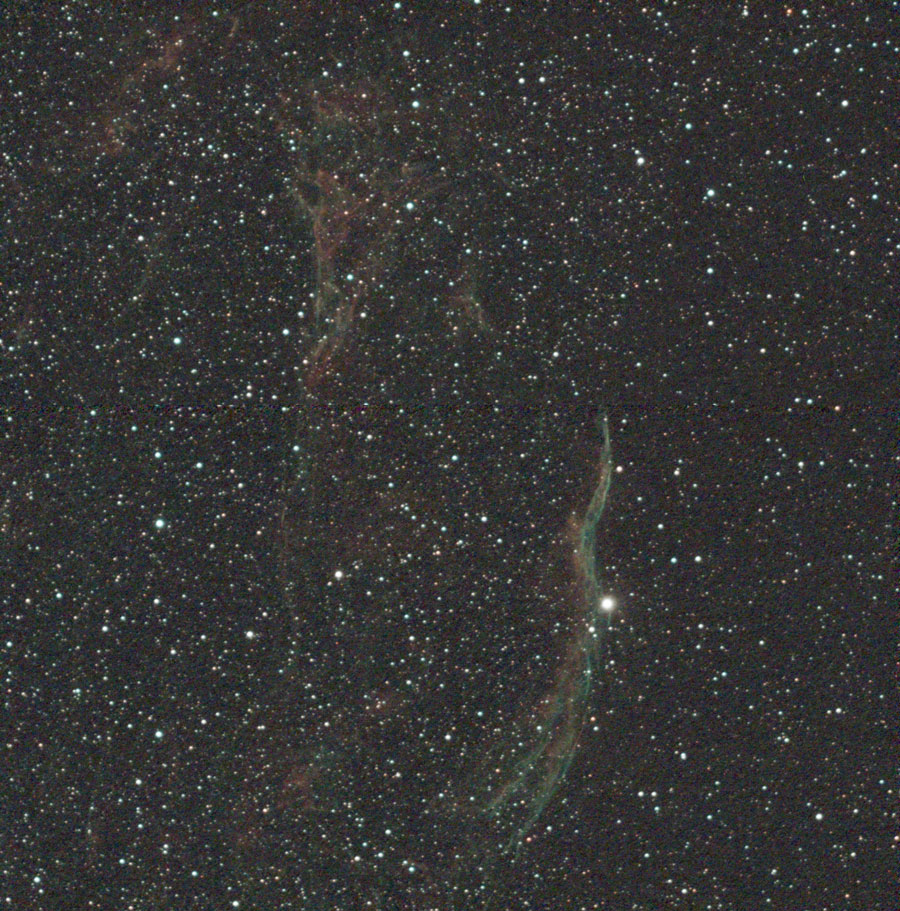
NGC 6960, Sep 18, 2026 - original (118 (58/60) frames = 118 min), mosaic, processed with Stellar Studio |
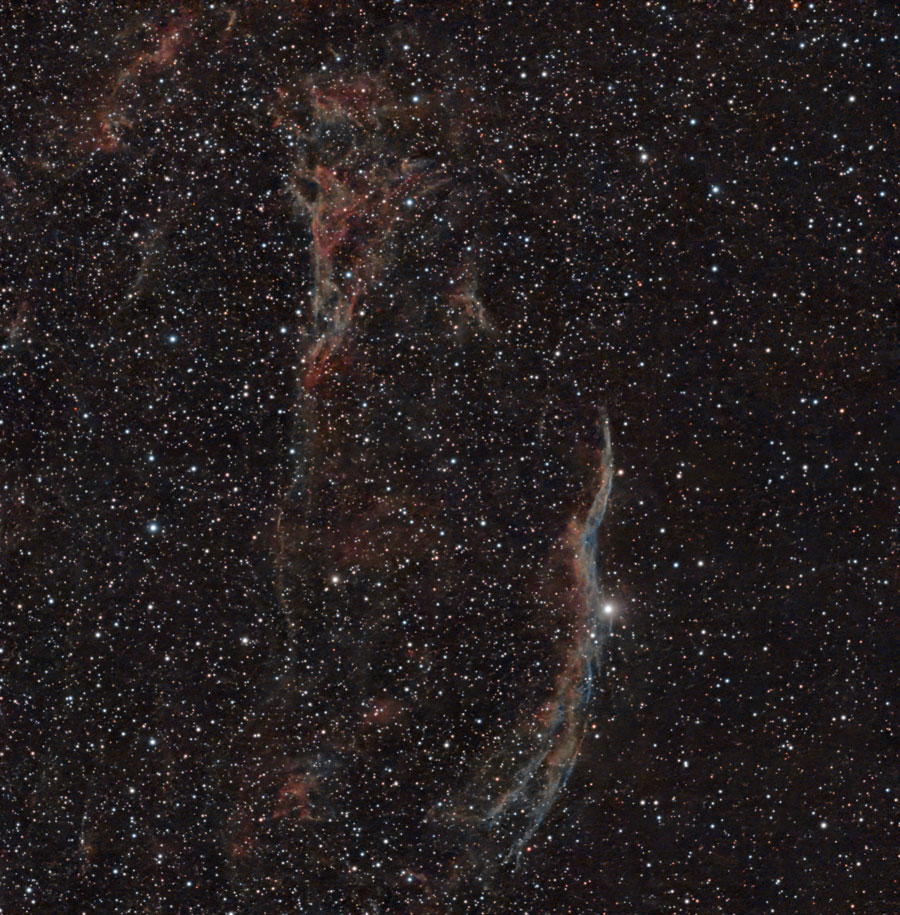
NGC 6960, Sep 18, 2026 - original (118 (58/60) frames = 118 min), mosaic, processed with Stellar Studio and post-processed |
Sep 21, 2026: NGC 7000 (North America Nebula; Cygnus) and IC 5070 (Pelican Nebula; Cygnus)
|
|
|
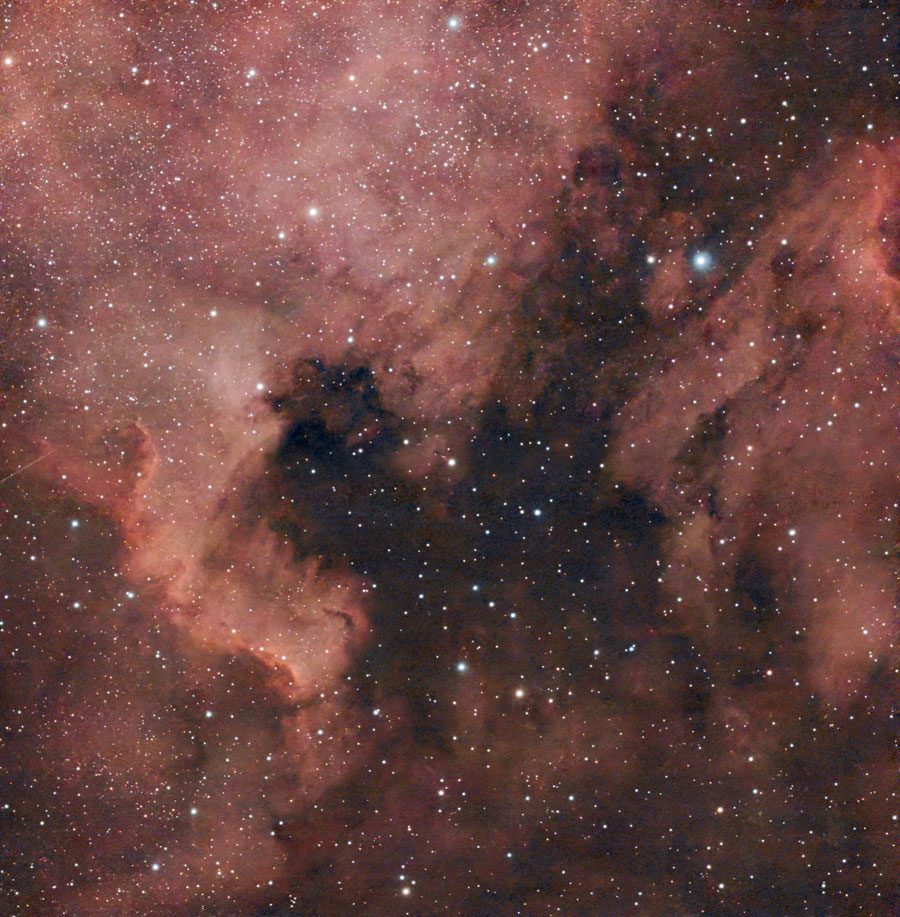
NGC 7000 and IC 5070 - Sep 21, 2026, 2h, mosaic, DuoBand filter, unprocessed, original |
NGC 7000 and IC 5070 - Sep 21, 2026, 2h, mosaic, DuoBand filter, processed with Stellar Studio, Original |
|
 |
 |
|
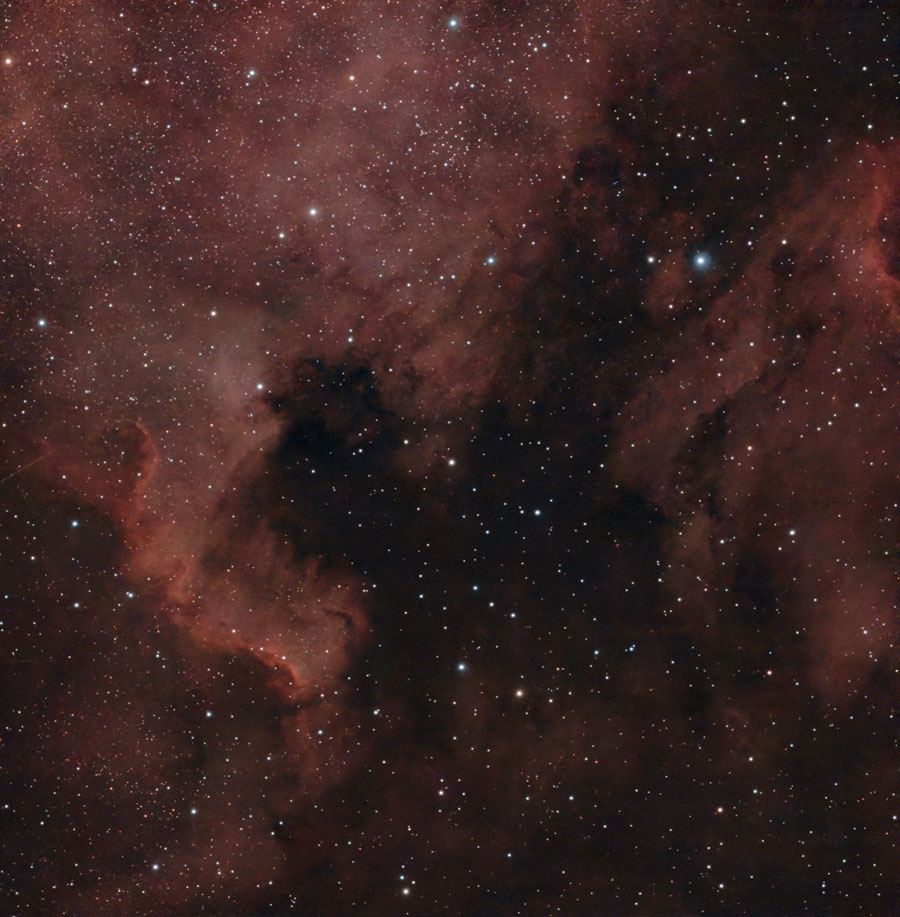
NGC 7000 and IC 5070 - Sep 21, 2026, 2h, mosaic, DuoBand filter, processed with Stellar Studio and further processed, original |
NGC 7000 and IC 5070 - Sep 21, 2026, 2h, mosaic, DuoBand filter, processed with Stellar Studio and further processed even stronger, original |
Oct 5, 2026: IC 1318 (Butterfly Nebula; Cygnus)
 |
 |
|
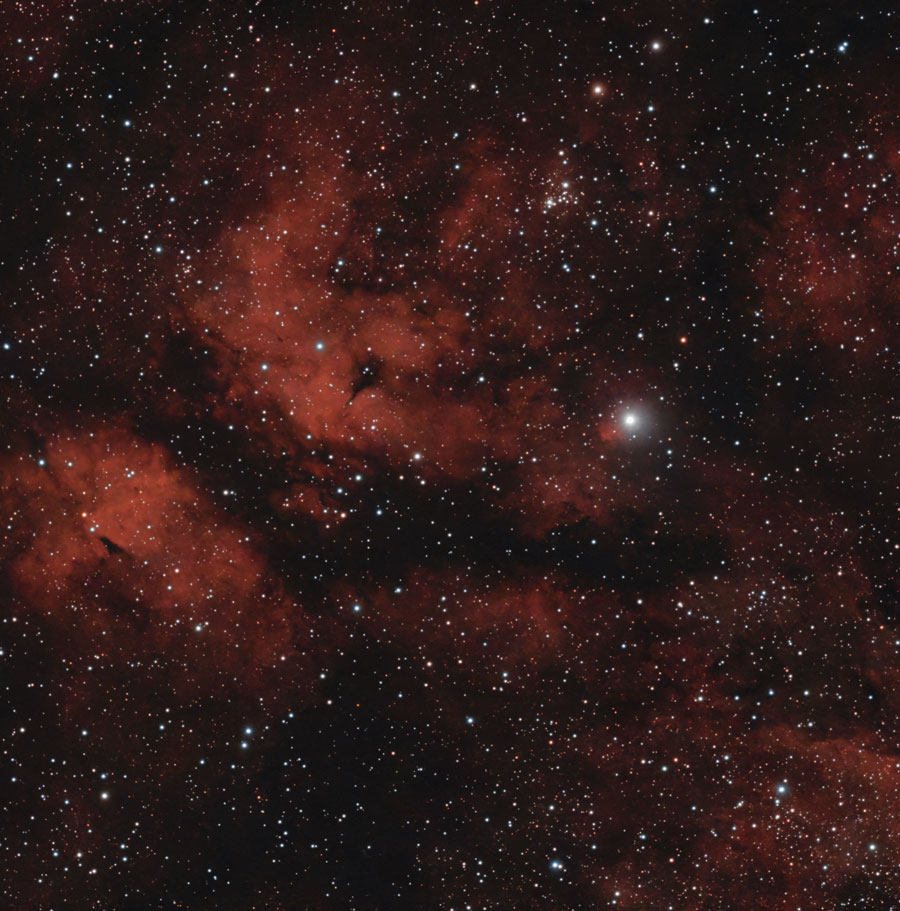
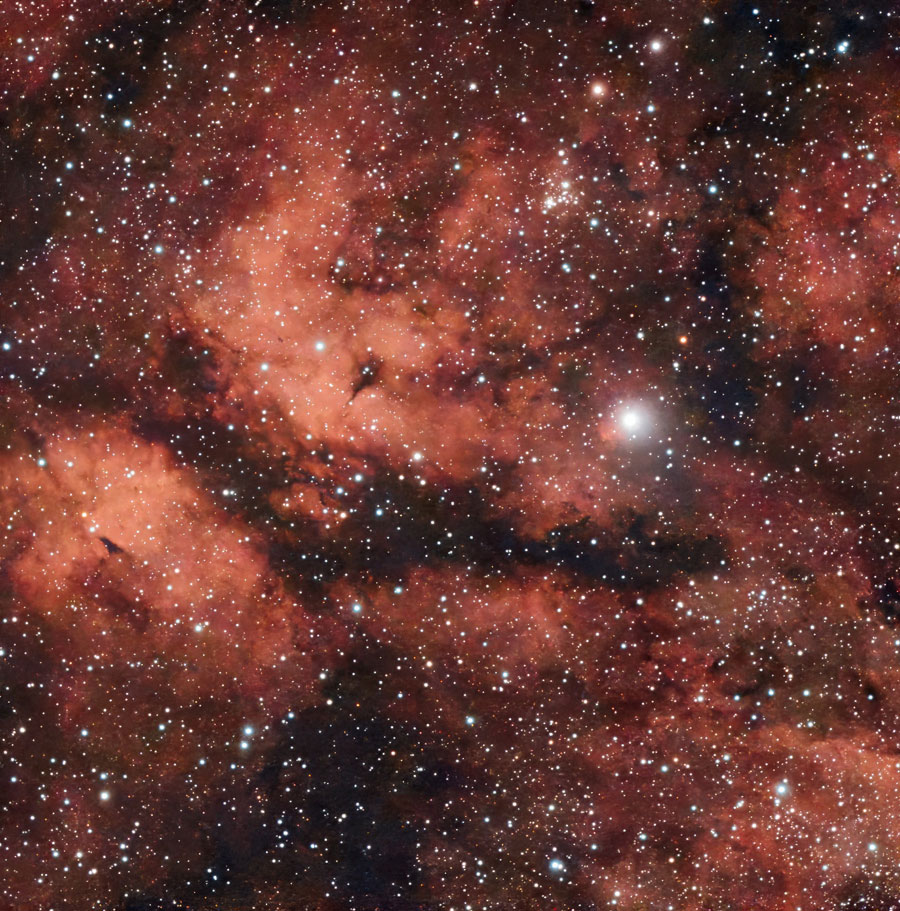
IC 1318, Oct 5, 2026 - Original (2 h), mosaic, DB filter, processed with Stellar Studio |
IC 1318, Oct 5, 2026 - original (2 h), mosaic, DB filter, processed with Stellar Studio and further, made brighter |
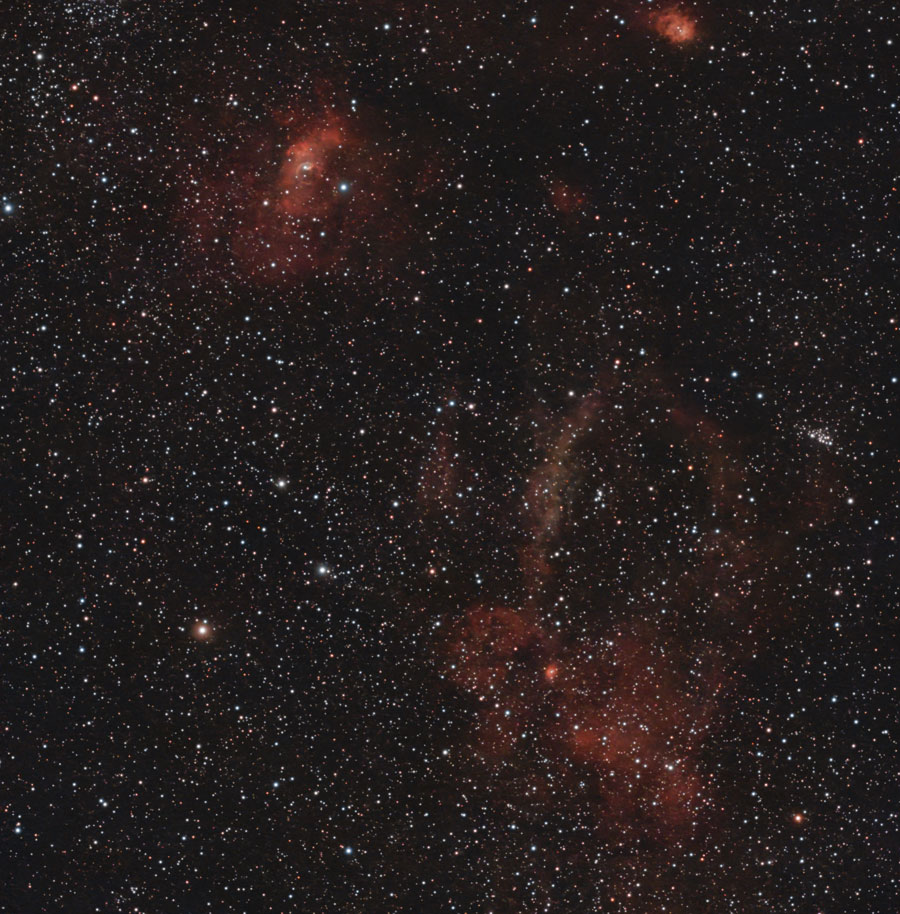
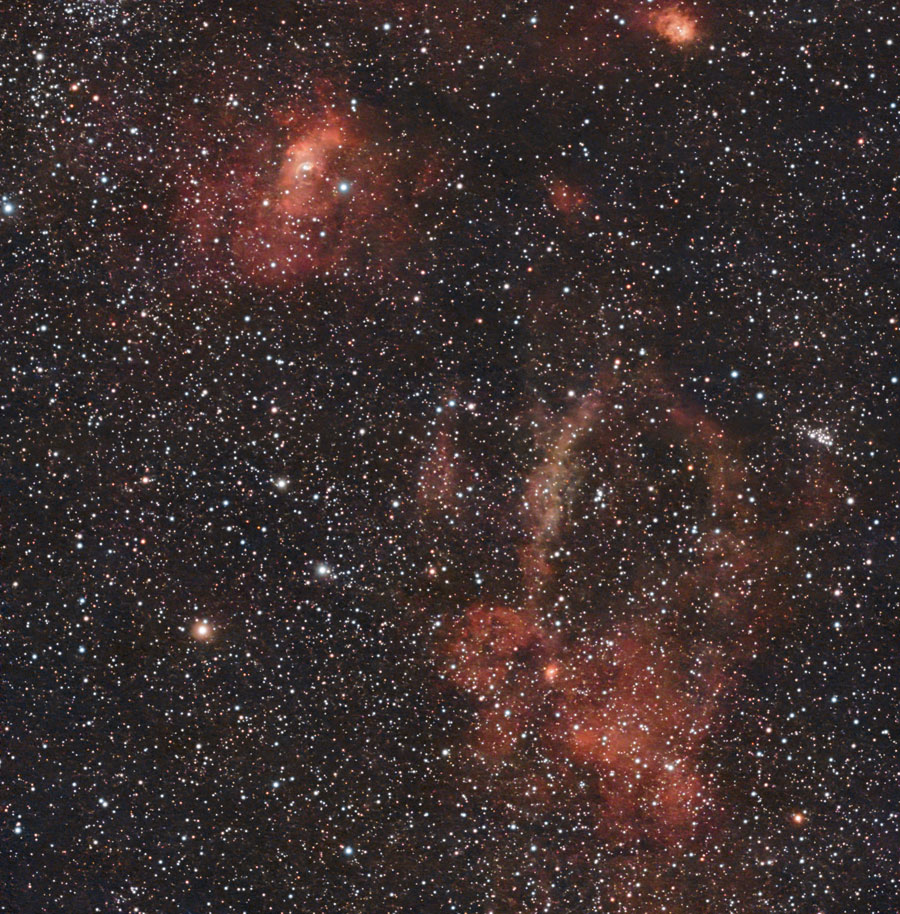
Sh2-157 (Lobster Claw Nebula; Cassiopeia) - with NGC 7635 (Bubble Nebula) and NGC 7538 (Northern Lagoon Nebula)
 |
 |
|
Sh2-157, Oct 14, 2026 - original, mosaic, 2 h, DuoBand Filter, processed with Stellar Studio |
Sh2-157, Oct 14, 2026 - original, mosaic, 2 h, DuoBand Filter, processed with Stellar Studio and further processed, made brighter |
First Conclusions
Once you have learned how to set up the EQ mode, entering mosaic mode is easy, at least once you know which icon to click to set up the mosaic.
Out of convenience, I have so far only used mosaics with an 1:1.8 aspect ratio because this results in a nearly square image field of approximately 2° x 2° due to the "towel format" of the sensor. This gives me two "panels" that slightly overlap and are photographed alternately.
So far I have usually exposed for 30 seconds per individual frame (sub), which results in an integration time of 50 minutes for 2x50=100 exposures. The actual observation time is of course significantly longer for various reasons (dithering, skipped frames). In any case, these settings gave me a comfortable introduction to shooting mosaics!
Later in 2026, I increased the exposure time to 60 seconds per sub and usually took 120 frames, which meant that each of the two panels was exposed for about an hour. This allowed me to observe even fainter nebulae quite well. At least the results were acceptable after processing with Stellar Studio.
It is also important to note that you absolutely must post-process mosaics using Stellar Studio, because the panels are initially stitched together in such a way that the seam is clearly visible. In one instance, the two panels also differed significantly in brightness; however, Stellar Studio was able to compensate for this. Here is an example of the unedited final result before editing with Stellar Studio, and to the right of it, the edited version (I continued editing it after that...)
|
|
|
NGC 7000 and IC 5070 - Sep 21, 2026, 2h, mosaic, DuoBand filter, unprocessed, original |
NGC 7000 and IC 5070 - Sep 21, 2026, 2h, mosaic, DuoBand filter, processed with Stellar Studio, Original |
Links
- Dwarf Mini Smart Telescope – Review & Tutorial (Wido's Astroforum): astroforumspace.com/dwarf-mini-smart-telescope-review-tutorial/ - YouTube-Video dazu: www.youtube.com/watch?v=4SoaQqLWR0s
- Dwarf Mini im Test: Das Technik-Wunder und Spaßgerät für die Hosentasche (Dimitrios Georgomanos): www.blickohnegrenzen.de/2026/02/06/dwarf-mini-im-test-das-technik-wunder-und-spassgeraet-fuer-die-hosentasche (in German)
- Dwarf mini documentation (DwarfLab): help.dwarflab.com/en/docs/dwarf-mini-smart-telescope
- DWARF mini User Manual: help.dwarflab.com/en/docs/DWARF-mini-Smart-Telescope-User-Manual
- Get to Know the Files Stored in DWARF mini: help.dwarflab.com/en/docs/help-doc
- DWARF mini Lighting Effects: help.dwarflab.com/en/docs/help-doc-mini-lighting-effects
- How to View DWARF mini Files Wirelessly Using a Computer: help.dwarflab.com/en/docs/help-doc-1
- FAQ & Troubleshooting Guide for DWARF Users: help.dwarflab.com/en/docs/help-doc-2
- Mini Tripod with hydraulic Head (DwarfLab): dwarflab.com/products/tripod-for-dwarf-3 (shown for Dwarf 3)
- The Tripod Setup and Usage (DwarfLab video): help.dwarflab.com/en/docs/tripod-setup-and-usage?product=dwarf-3 (shown for Dwarf 3)
- DWARF mini EQ Mode Setup Guide (DwarfLab video): https://help.dwarflab.com/en/docs/dwarf-mini-equatorial-setup-guide?product=dwarf-mini
- See also my page offering Astronomy Links.
|
made by  on a mac! on a mac! |


| 18.10.2026 |  |