

DwarfLab Dwarf mini - Tripod
Introduction | Unboxing, Tripod, Dwarf mini on the Tripod | The Tripod in Different Settings | Adjusting the Angles of the Tripods Legs | Positioning of the Handle | EQ Mode: Orientation of the Telescope on the Tripod | First Conclusions | Links || Appendix: Technical Data for the DwarfLab Tripod
On this page, I describe the DwarfLab tripod for my electronic refractor telescope Dwarf mini 30 mm/150 mm (f/5). I ordered it together with the telescope at the end of November 2025 (pre-order) and received it on January 16, 2026, two days after the telescope.
See also:
- Information
- Tripod (this page)
- Bag
- EQ Mode
- First Experiences
- Mosaic Mode
- Observations of the Sun
- Observations of the Moon
- Observations with Filter
- >> My Deep Sky Observations with the Dwarf mini (Complete List of Observed DSO)
- Photo Gallery (Messier) - Photo Gallery (Other) - Galaxies - Nebulae - Open Star Clusters
- Photo Comparison (with Vaonis Vespera)
Introduction
 |
 |
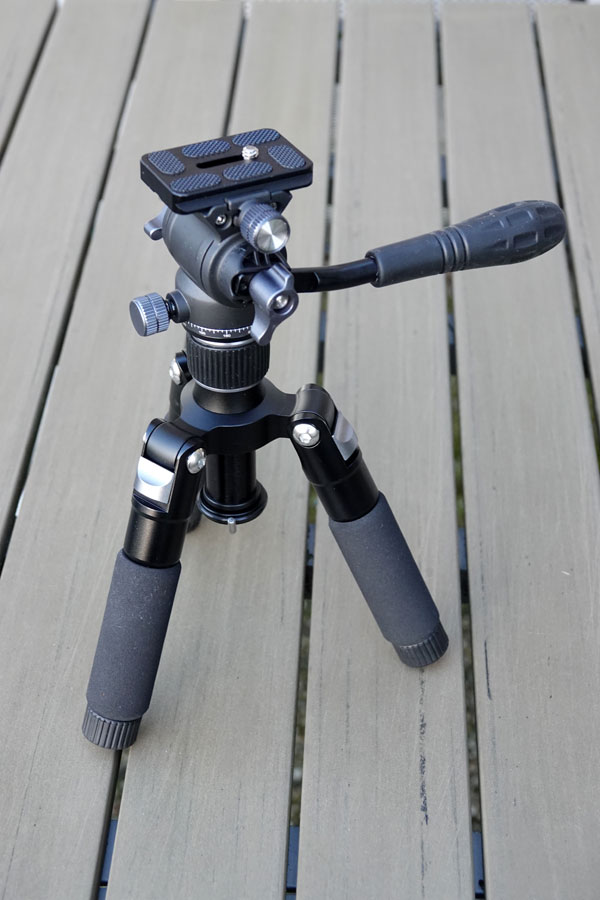 |
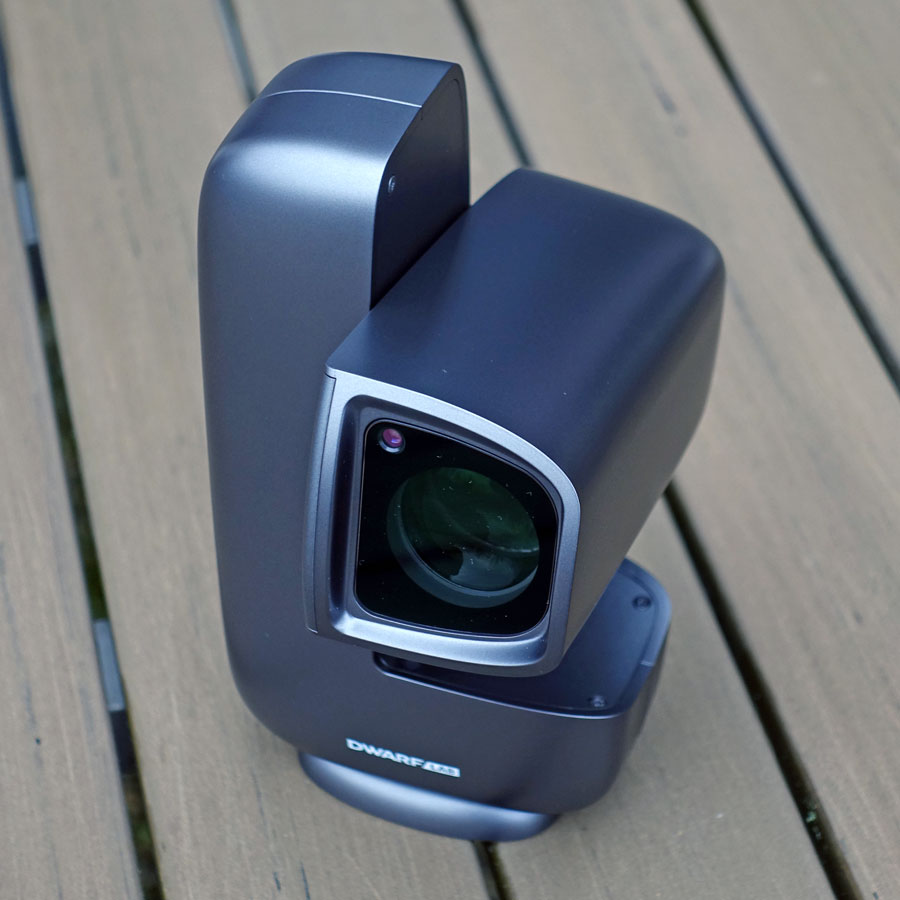
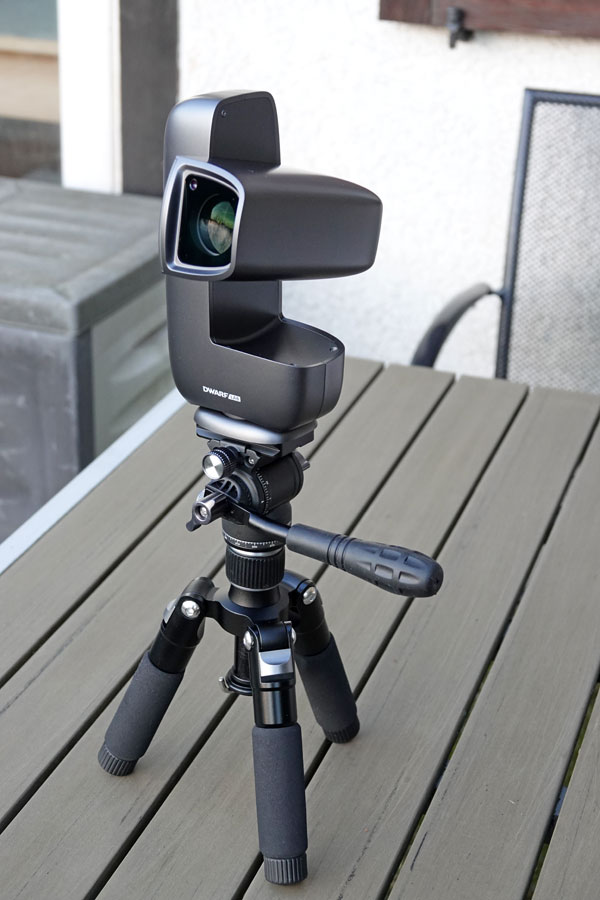
Photo: My Dwarf mini and its tripod (Jan 2026)
I ordered the DwarfLab tripod together with the Dwarf mini because it allows me to set up the Dwarf mini in a more universal (and higher) position. What I did not realize was that
- a tripod is required for EQ mode, which the Dwarf mini can also be used in.
- Mosaics can only be captured in EQ mode.
- The Dwarf mini has a 1/4" thread, while most astro tripods have a 3/8" thread; the DwarfLab tripod also has a 1/4" thread and fits without an adapter.
In hindsight, I found it very practical that I ordered the tripod at the same time... In AZ mode, however, the Dwarf mini can also be used without a tripod if you can place it on a table or on the floor.
Unboxing, Tripod, Dwarf mini on the Tripod
Here I present photos of the unboxing, the tripod and the tripod with mounted Dwarf mini.
 |
 |
 |
||
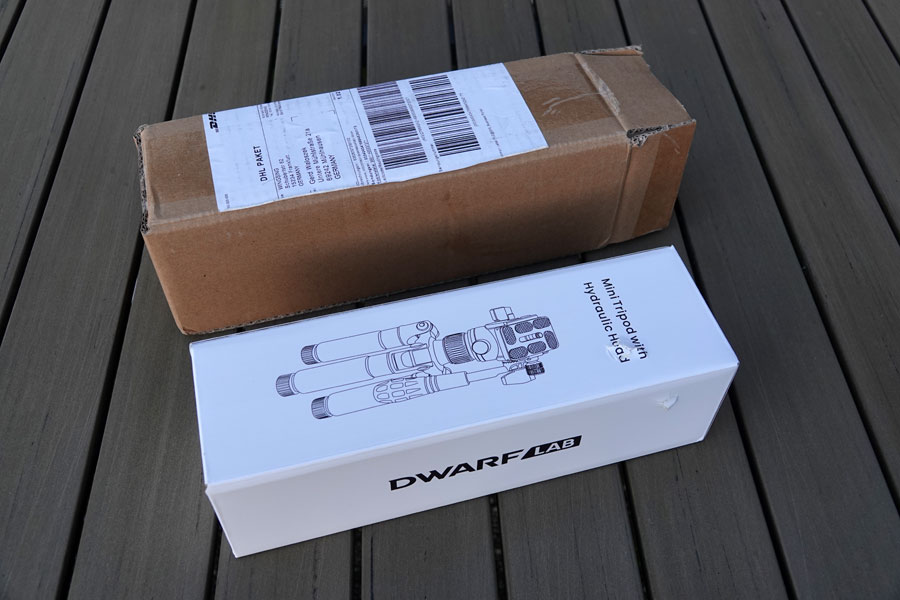
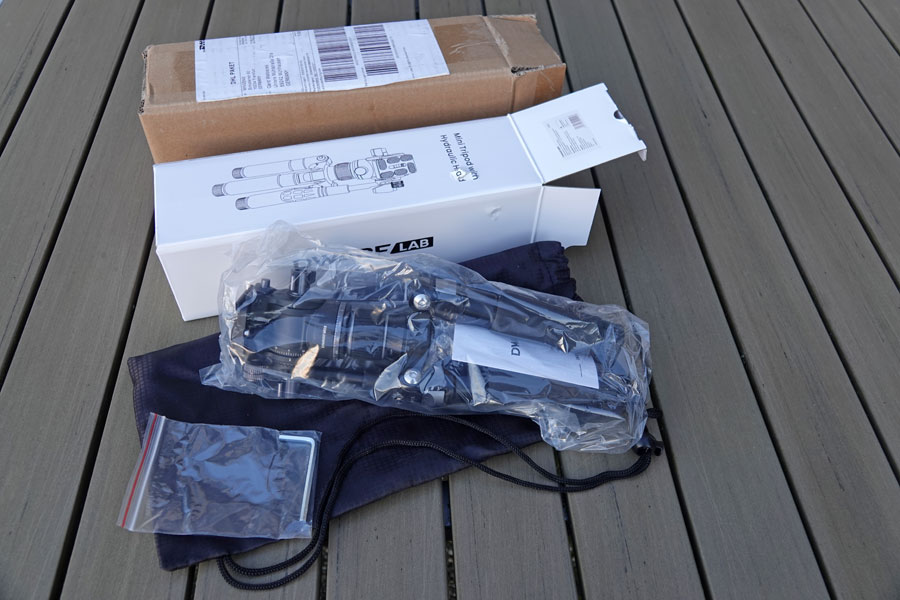
The tripod for the Dwarf mini has arrived! The parcel is damaged |
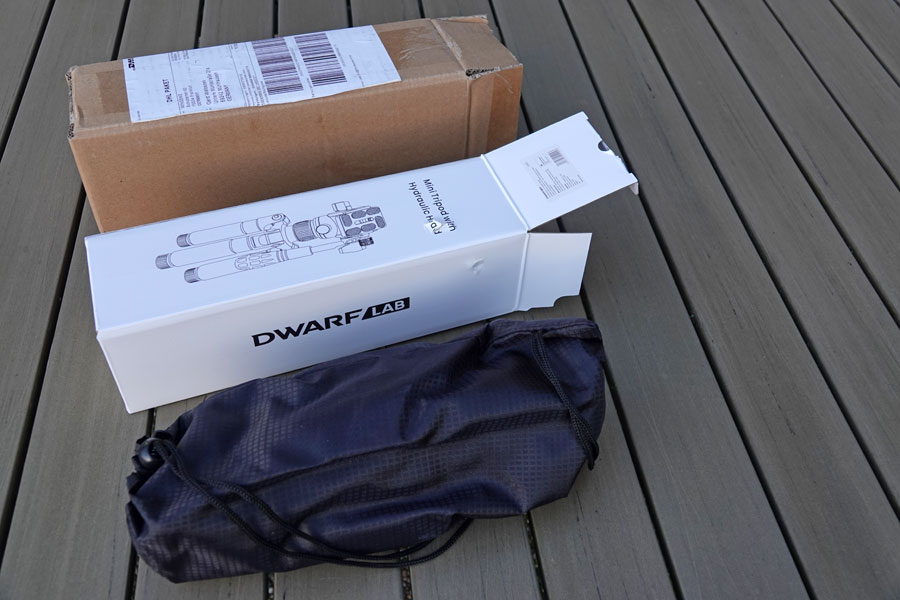
Inner box removed - it even has two damages |
Tripod in its bag taken out (no damages) |
||
 |
 |
 |
||
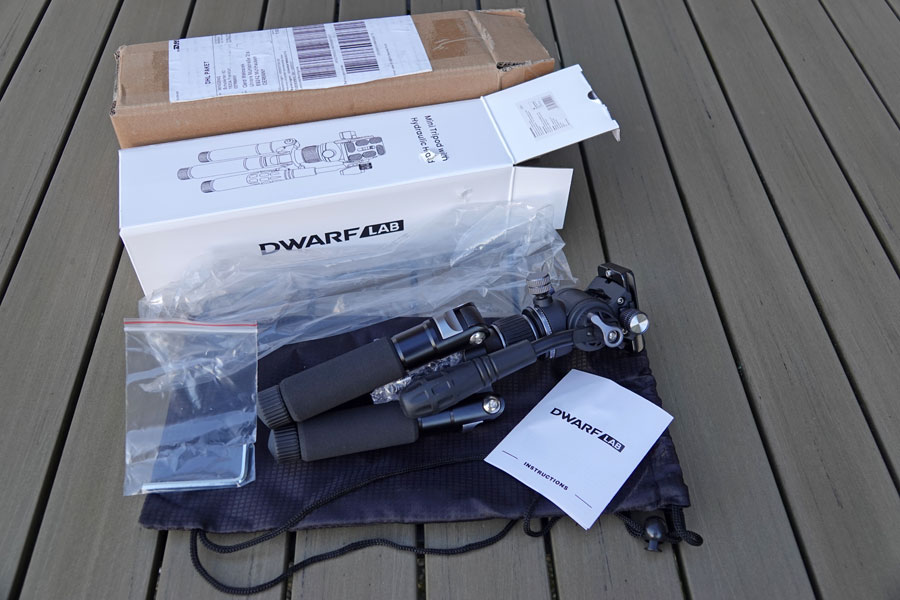
Tripod taken out of its bag |
Plastic cover removed |
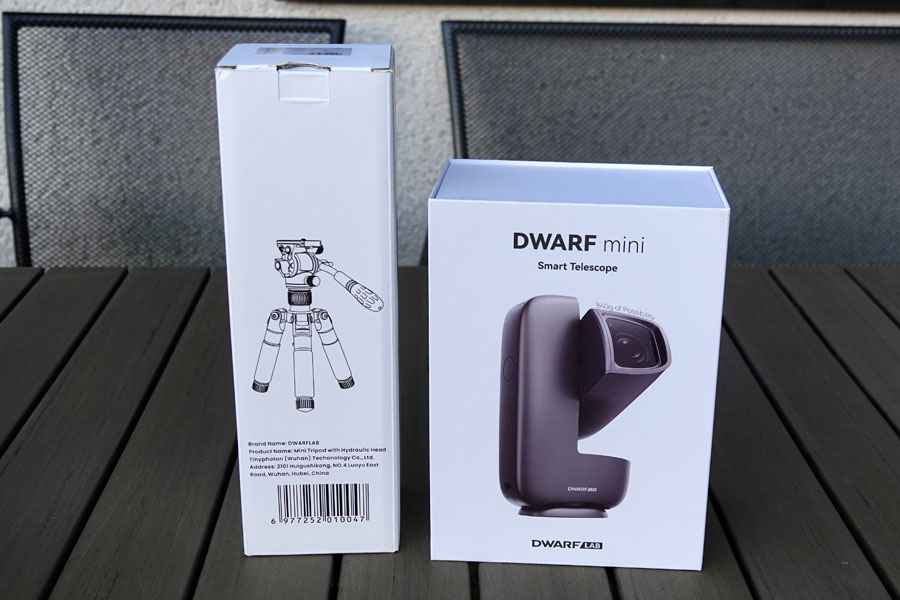
This would be the travel equipment (without charger and iPad) |
||
|
 |
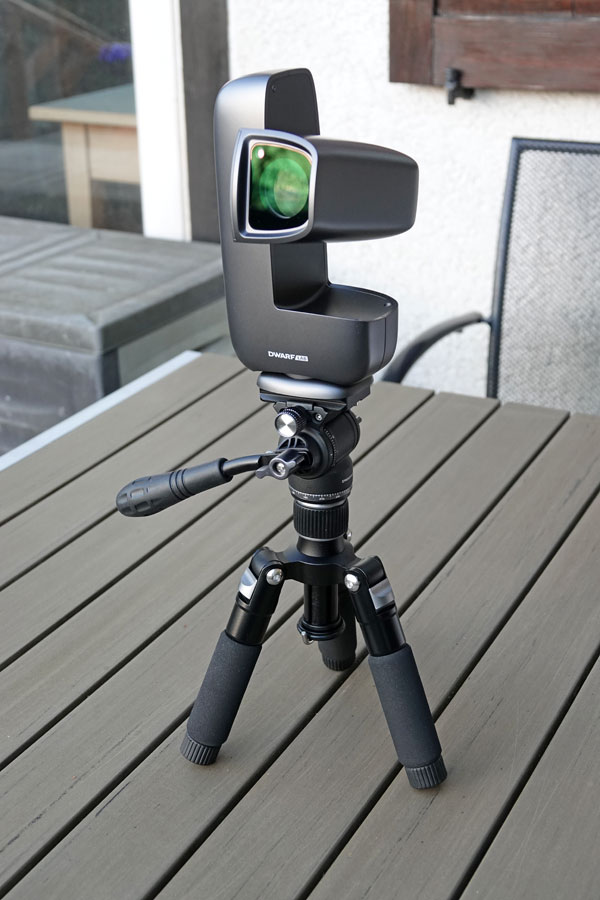 |
||
The tripod, lever pointing upwards |
Dwarf mini on the tripod, lever pointing upwards |
Ditto, lever pointing downwards |
||
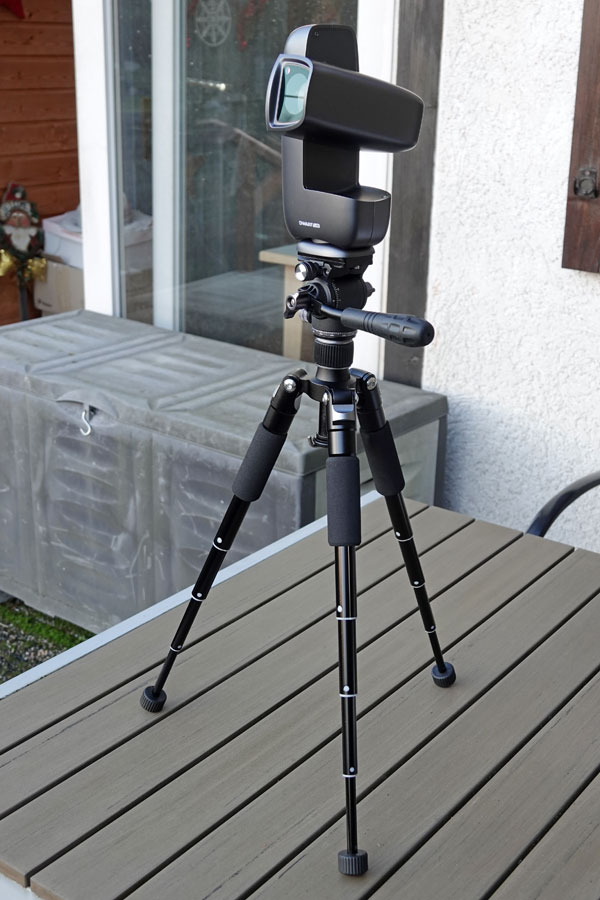 |
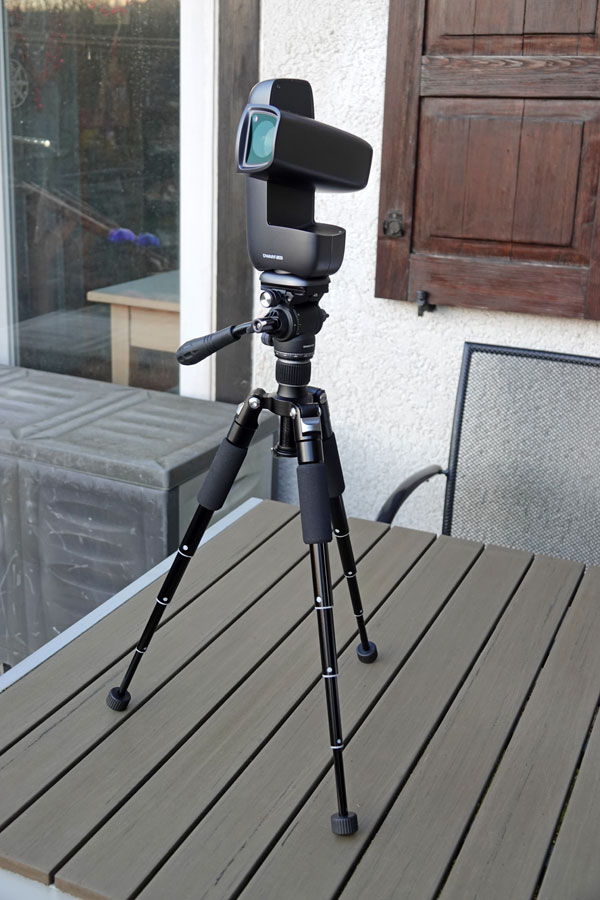 |
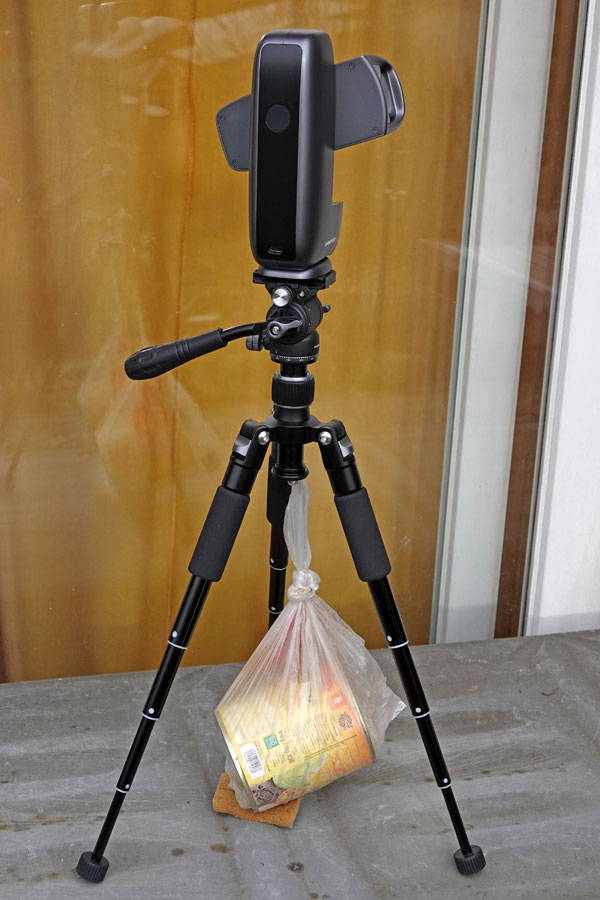 |
||
Ditto, legs fully extended, steepest angle |
Ditto, lever pointing downwards |
DwarfLab recommends, to add a weight to the center column when the legs are fully extended (normal angle of the legs) |
Note: The center column can carry a weight. DwarfLab recommends this for fully extended legs. The legs can be made flat (see below). This might increase stability in EQ mode (I still need to try this out).
The Tripod in Different Settings
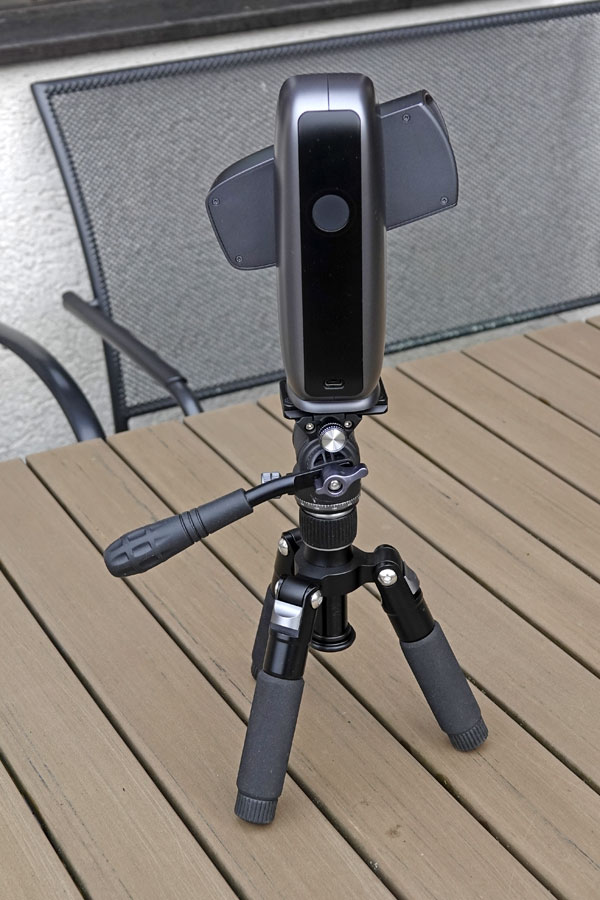
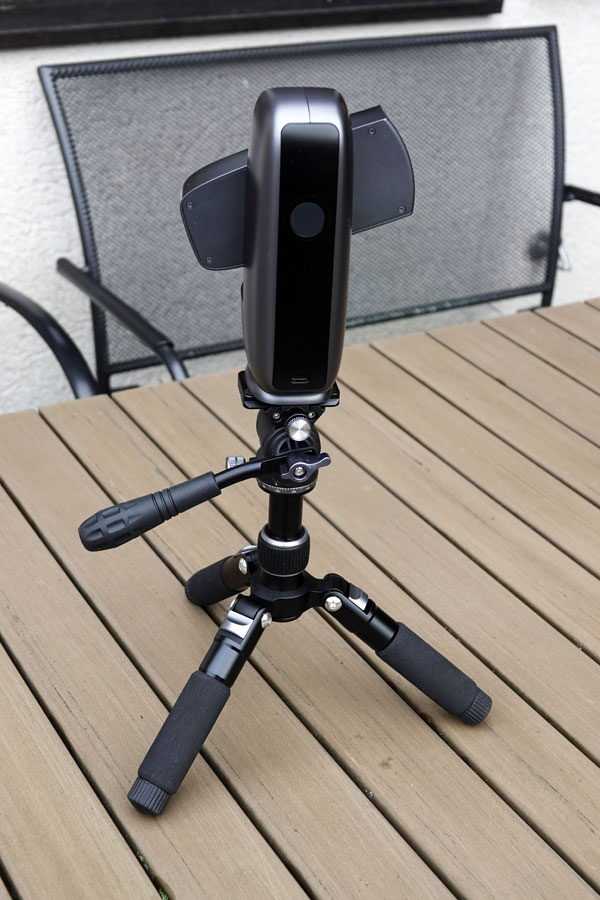
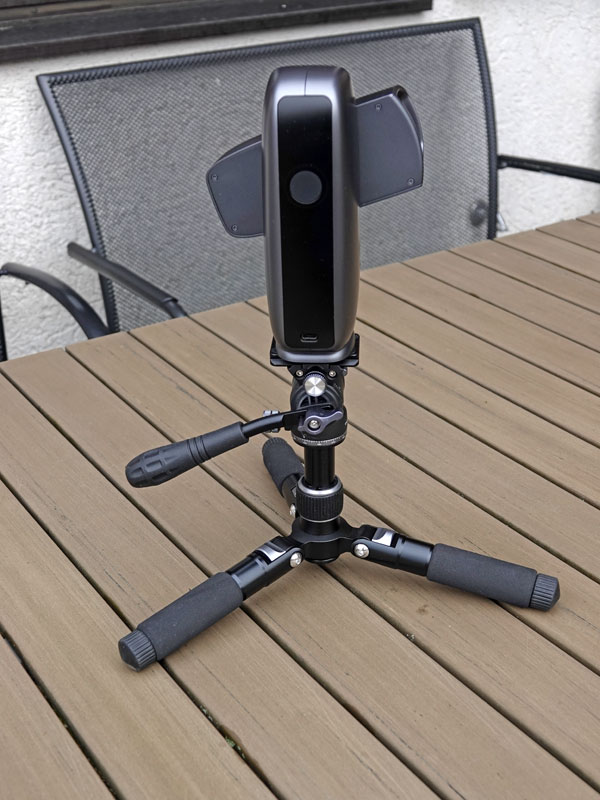
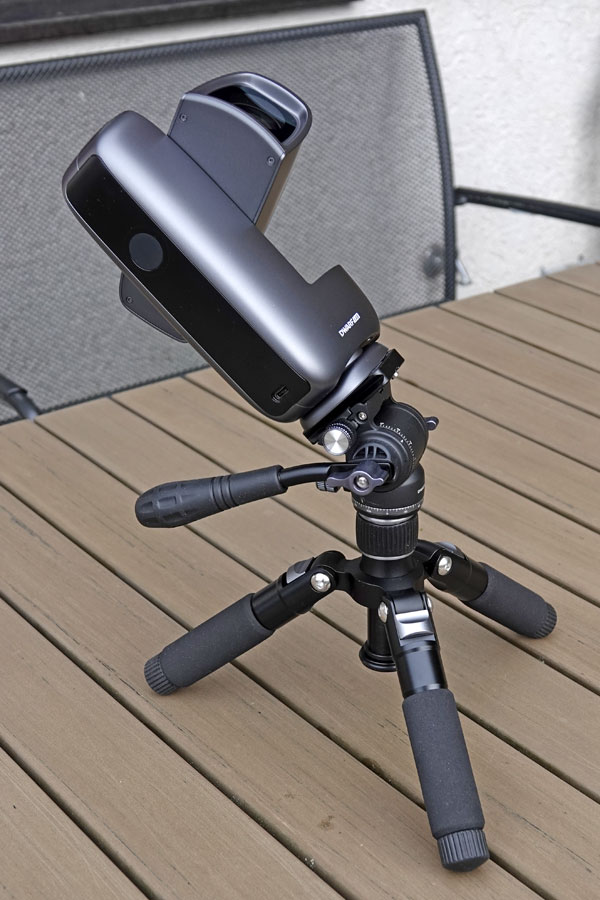
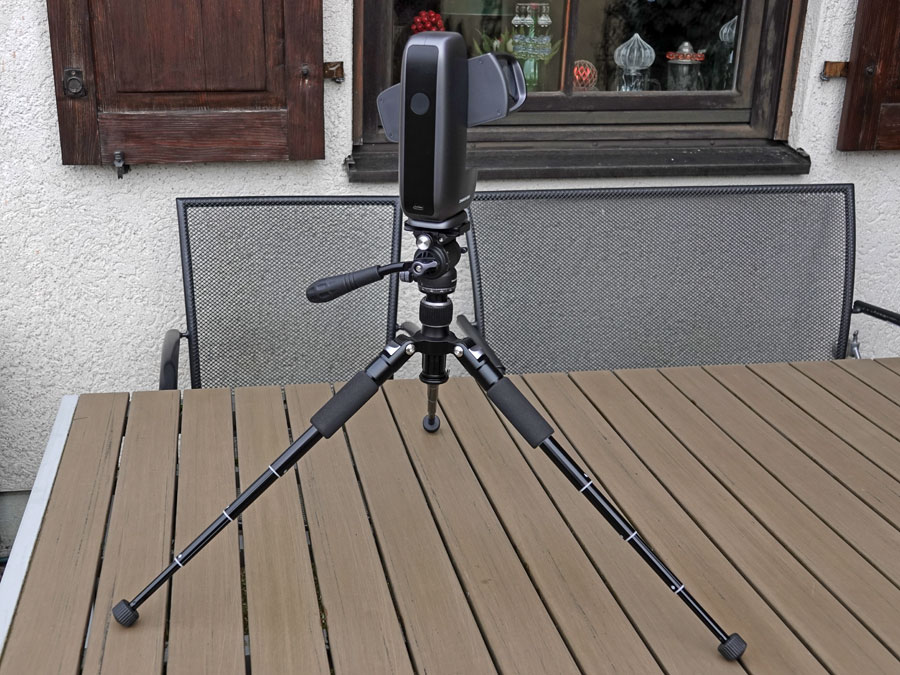
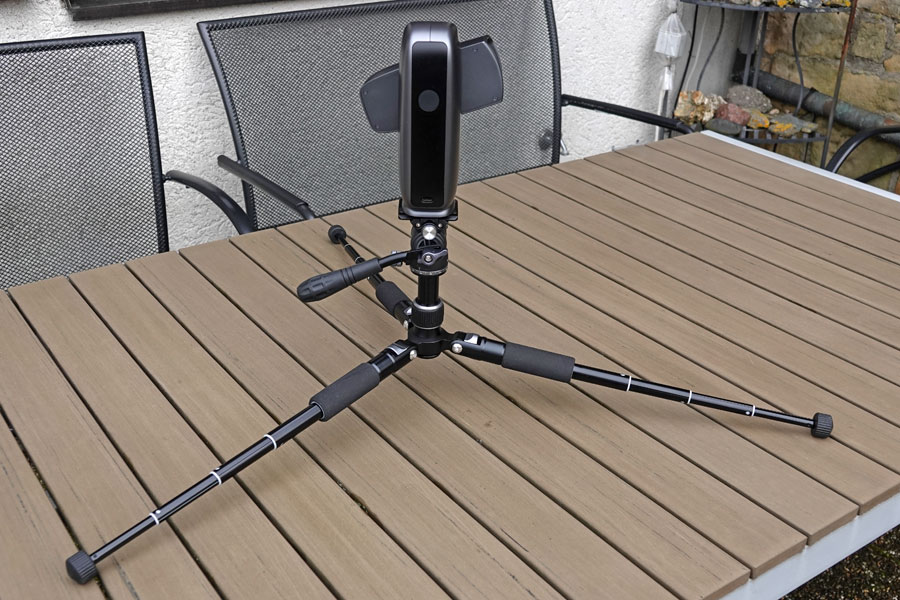
The tripod legs can be extended in 5 stages (5 segments) and set up at three different angles (steep, oblique, flat). Here are a few demo examples:
 |
 |
 |
||
Legs in normal angle, not extended |
Tripod legs oblique |
Tripod legs flat, center column pulled out |
||
 |
 |
|||
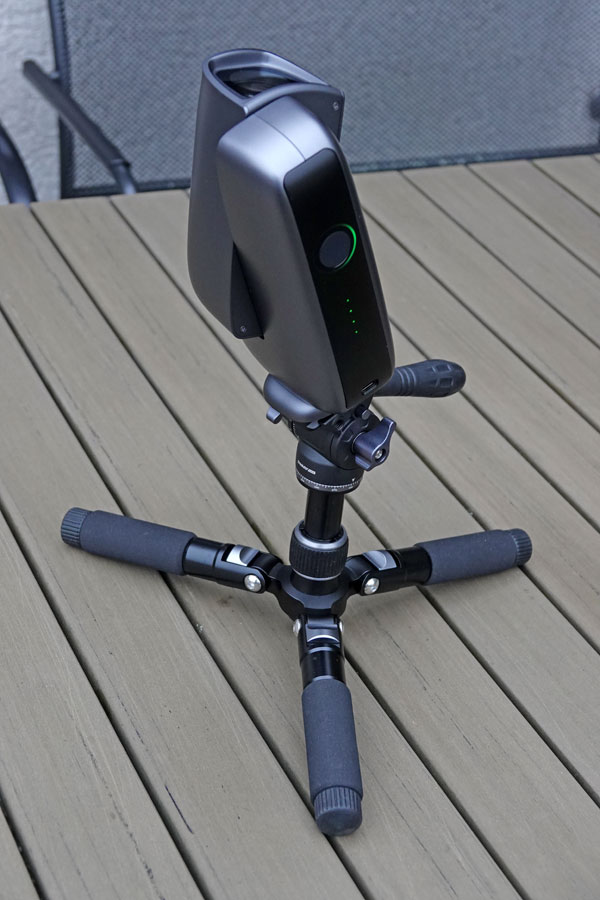
Telescope oblique as in EQ mode, tripod legs oblique, not extended |
Telescope oblique as in EQ mode, tripod legs flat, not extended |
|||
 |
 |
 |
||
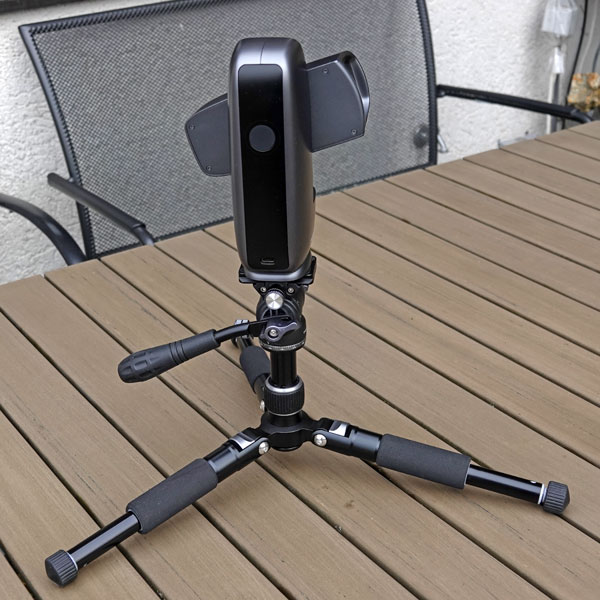
One segment extended, legs flat, center column extended |
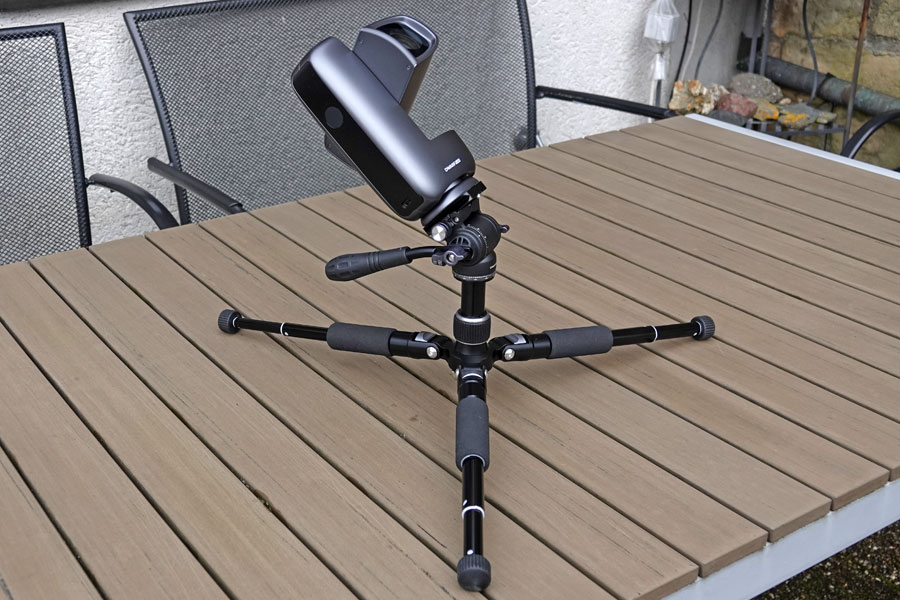
Two segments extended, legs flat, center column extended |
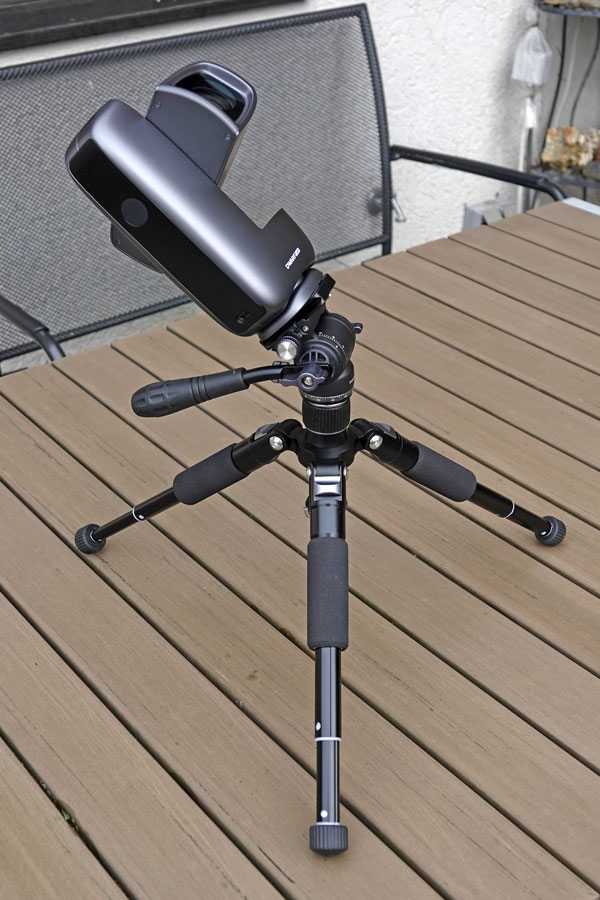
Ditto, legs oblique |
||
 |
 |
|
||
Legs fully extended and oblique |
Legs fully extended and flat |
DwarfLab recommends, to add a weight to the center column when the legs are fully extended (normal angle of the legs) |
Adjusting the Angles of the Tripods Legs
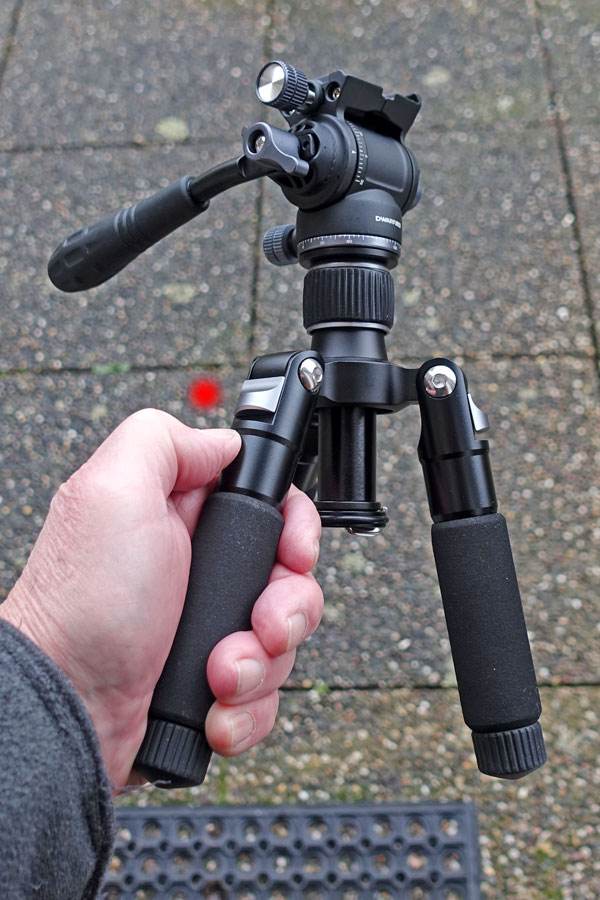
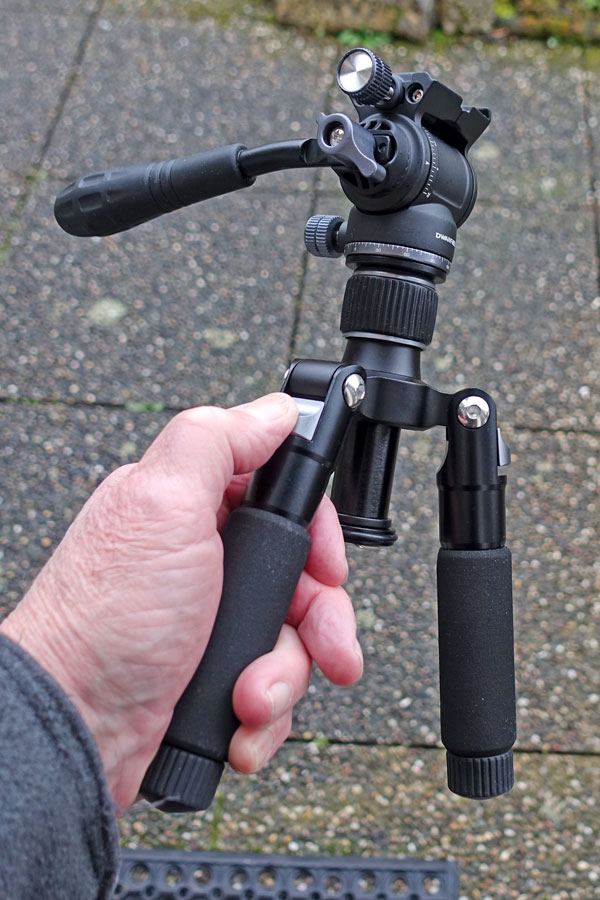
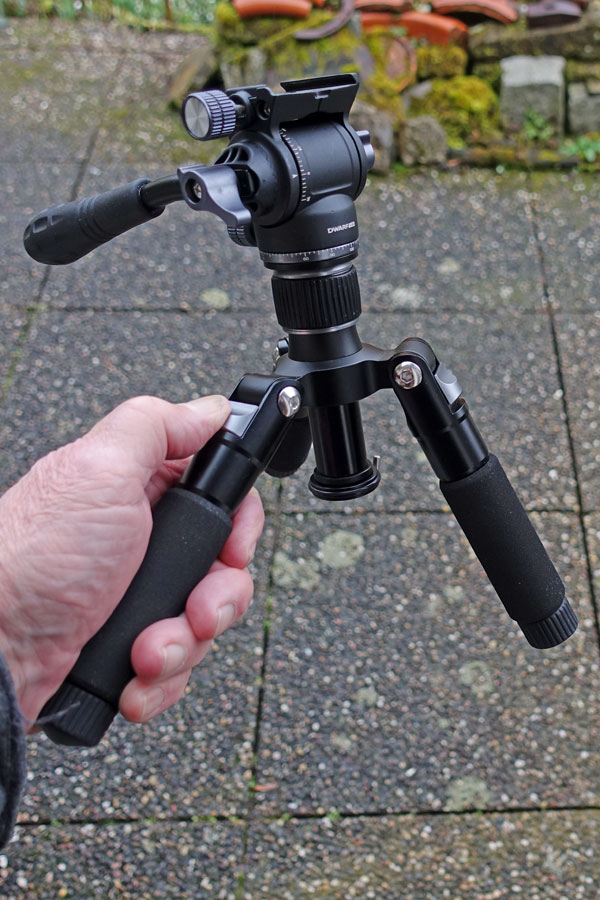
The legs of the DwarfLab tripod can be adjusted to different angles: steep, slanted, and flat. For this purpose, there is a silver slider (angle adjusting buckle) at the top of each tripod leg that locks into the corresponding positions. However, the slider is only needed if you want to make the tripod flatter. To do this, press the leg in question slightly inwards, pull the slider down and move the leg outwards; the slider can then be released. To make the tripod steeper, simply press the corresponding leg inwards until the slider locks into the desired position.
 |
 |
 |
||
The locking slider for adjusting the angle of the tripod legs |
Slider pulled down... |
...and the tripod leg pulles outwards (you can leave the slider in place...) until the slider locks into the desired position |
Please note: If you want to set up the tripod flat, you must pull out the center column.
Positioning of the Handle
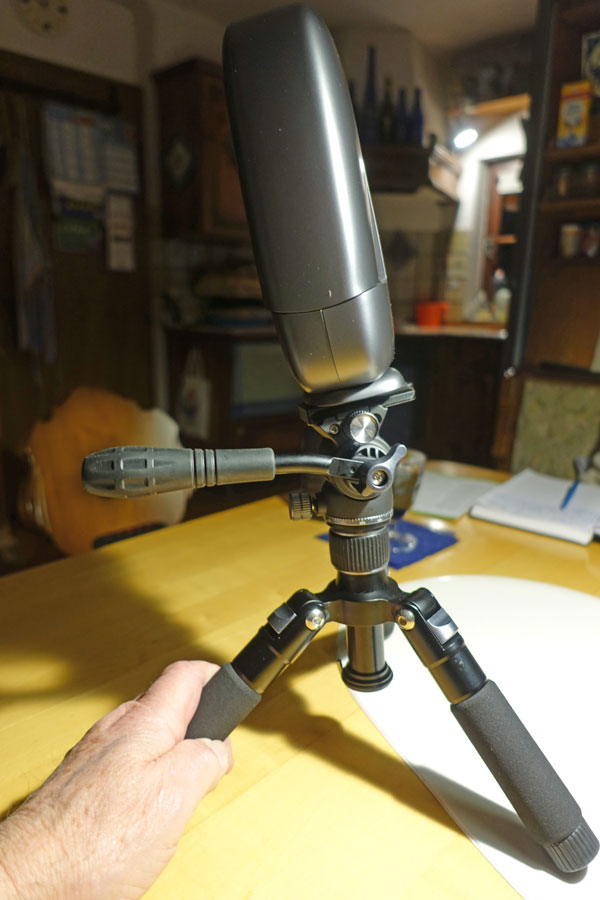
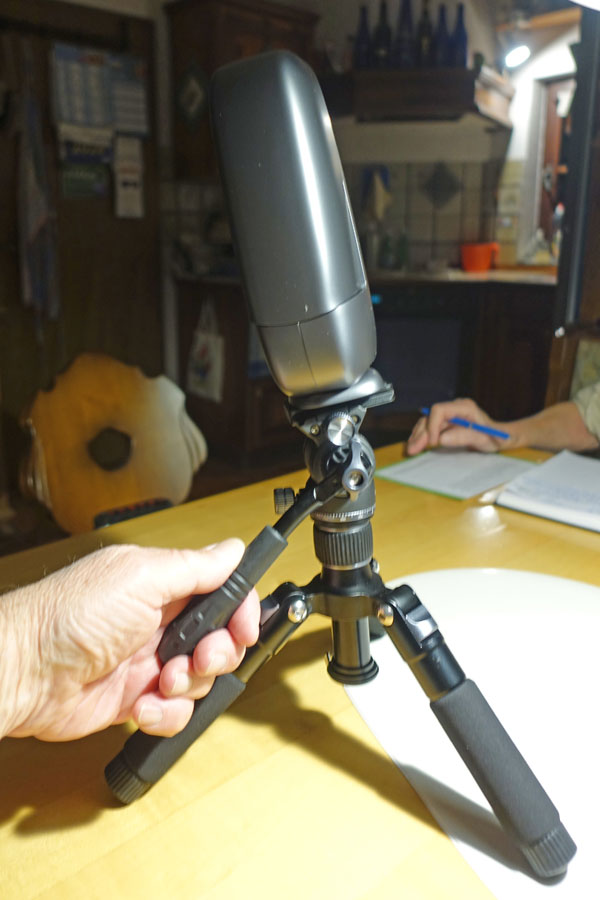
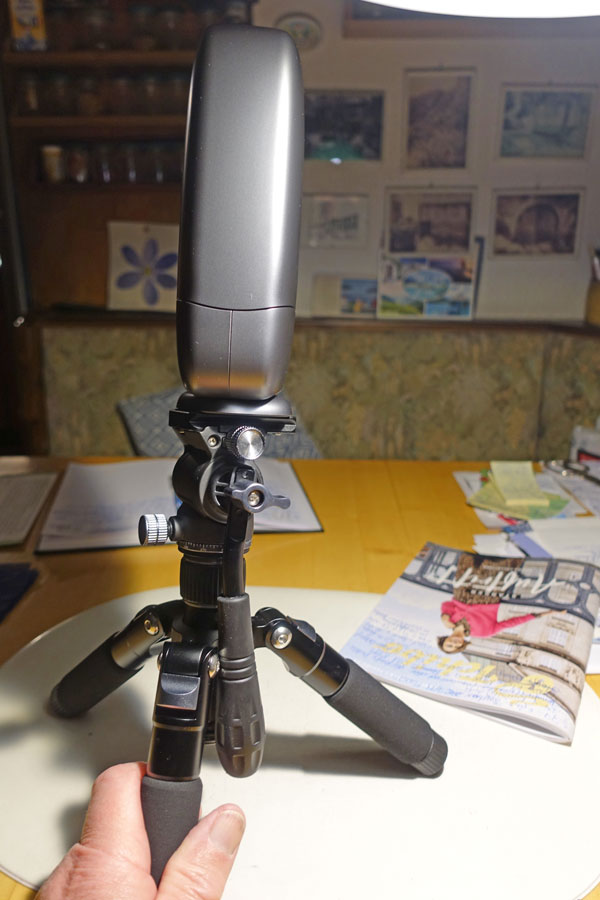
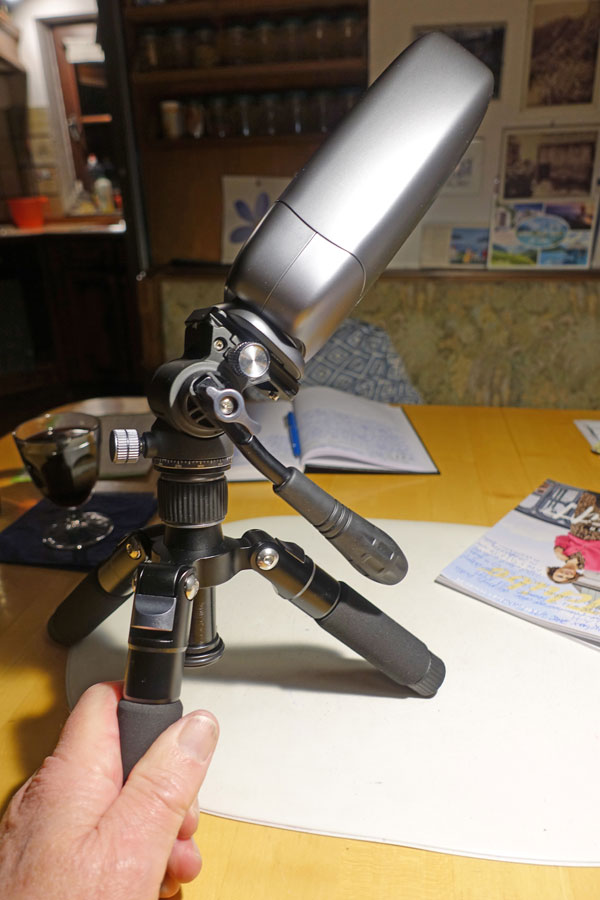
The handle on the DwarfLab tripod is useful for moving the Dwarf mini into the desired position in EQ mode. How you mount it is ultimately a matter of personal preference...
 |
 |
|
Detachable handle in position as shown by DwarfLab for EQ mode - the handle is slightly bent downwards |
Handle locking knob loosened - now the handle can be turned around freely... |
|
 |
 |
|
Handle locking knob loosened - the handle hangs down |
Handle turned to the other side - the handle is slightly bent upwards |
EQ Mode: Orientation of the Telescope on the Tripod
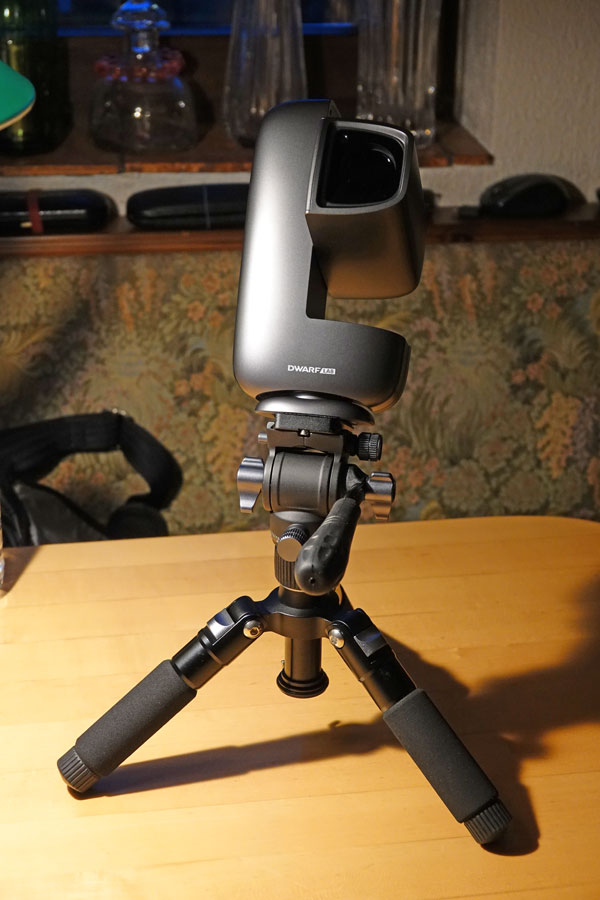
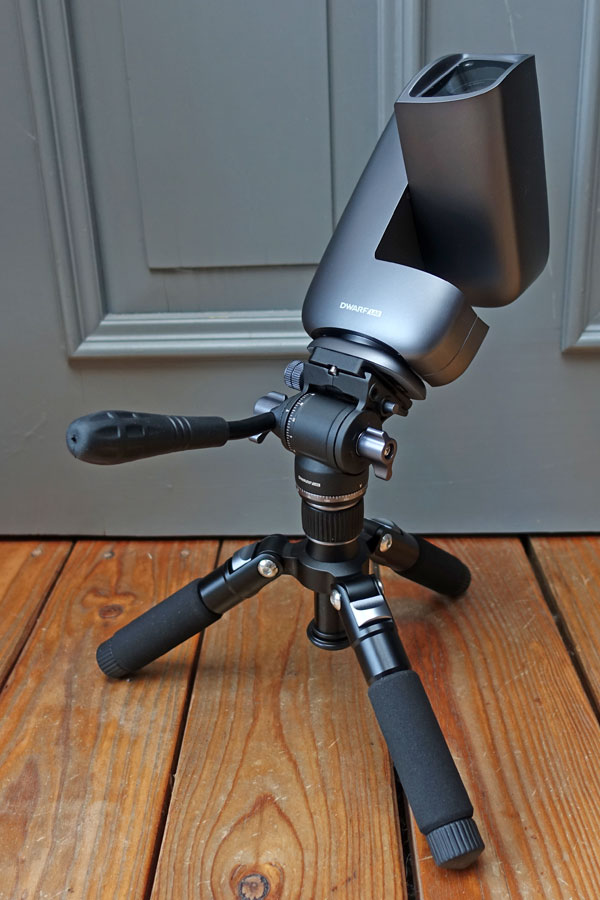
The Dwarf mini is normally operated in AZ mode. However, it can also be operated in EQ mode to allow for longer exposure times (greater than 15 seconds and up to 90 seconds). In addition, EQ mode must be used when capturing mosaics. For EQ mode, the Dwarf mini must be mounted on a tripod such as the DwarfLab tripod. There are two ways to orient the Dwarf mini on the tripod, but I was usure which is the correct one. I asked DwarfLab, and they told me that it does not matter how you mount the Dwarf mini on the telescope, everyone can do it according to their own preferences...
 |
 |
|
Tripod set up according to the DwarfLab video for EQ mode |
Tripod set up opposite to the DwarfLab video for EQ mode |
Note: Further information on the EQ mode and the telecsope orientation on the tripod can be found on page EQ mode.
First Conclusions
The DwarfLab tripod offers many possibilities on the one hand, but on the other hand it also has some "weaknesses." And due to its light weight, construction, and 1/4" thread, it is more of a "toy." It is certainly well suited for the lightweight telescopes from DwarfLab, but not for other, heavier telescopes. And it is well suited for simply trying out certain things and "playing around" with its possibilities. In this respect, I consider my entire Dwarf mini experience, including the tripod, to be a "learning project."
In my opinion, one of its "weaknesses" is the AZ scale on the tripod head. If you orient the telescope so that you can read the scale in EQ mode, it stops at about 60° N, where the head hits the base disk locking knob that locks the horizontal rotation. If you orient it the other way around, the scale ends at 30° :( However, as I have learned, some users do not use the scale for orientation anyway...
More in due course (or never)...
Links
- Dwarf Mini Smart Telescope – Review & Tutorial (Wido's Astroforum): astroforumspace.com/dwarf-mini-smart-telescope-review-tutorial/ - YouTube-Video dazu: www.youtube.com/watch?v=4SoaQqLWR0s
- Dwarf Mini im Test: Das Technik-Wunder und Spaßgerät für die Hosentasche (Dimitrios Georgomanos): www.blickohnegrenzen.de/2026/02/06/dwarf-mini-im-test-das-technik-wunder-und-spassgeraet-fuer-die-hosentasche (in German)
- Dwarf mini documentation (DwarfLab): help.dwarflab.com/en/docs/dwarf-mini-smart-telescope
- DWARF mini User Manual: help.dwarflab.com/en/docs/DWARF-mini-Smart-Telescope-User-Manual
- Get to Know the Files Stored in DWARF mini: help.dwarflab.com/en/docs/help-doc
- DWARF mini Lighting Effects: help.dwarflab.com/en/docs/help-doc-mini-lighting-effects
- How to View DWARF mini Files Wirelessly Using a Computer: help.dwarflab.com/en/docs/help-doc-1
- FAQ & Troubleshooting Guide for DWARF Users: help.dwarflab.com/en/docs/help-doc-2
- Mini Tripod with hydraulic Head (DwarfLab): dwarflab.com/products/tripod-for-dwarf-3 (shown for Dwarf 3)
- The Tripod Setup and Usage (DwarfLab video): help.dwarflab.com/en/docs/tripod-setup-and-usage?product=dwarf-3 (shown for Dwarf 3)
- DWARF mini EQ Mode Setup Guide (DwarfLab video): https://help.dwarflab.com/en/docs/dwarf-mini-equatorial-setup-guide?product=dwarf-mini
- See also my page offering Astronomy Links.
Appendix: Technical Data for the DwarfLab Tripod
Tripod
- Model: WT-6050
- Net weight: 790g
- Material: Aluminum Alloy
- Max.LOAD capacity: 3.0 kg
- Connector: 1/4"
- Sections: 5
- Max. height: 530 mm
- Folded height: 250 mm
- Tube Dameters: 9.7/12.6/15.5/18.2/21 mm
- Color: Black
|
made by  on a mac! on a mac! |


| 16.05.2026 |  |